True/false
With a true/false question, the participants assess any number of statements as right or wrong. The question type is similar to Kprim but has any number of rows. In each row, the participants assess one statement.
In the test editor, owners of the test, administrators and learning resource managers add the question under Test > Administration > Test editor > Add elements > True/false. In the question bank you choose the type under Question bank > My questions > Create question in the "Type" field.
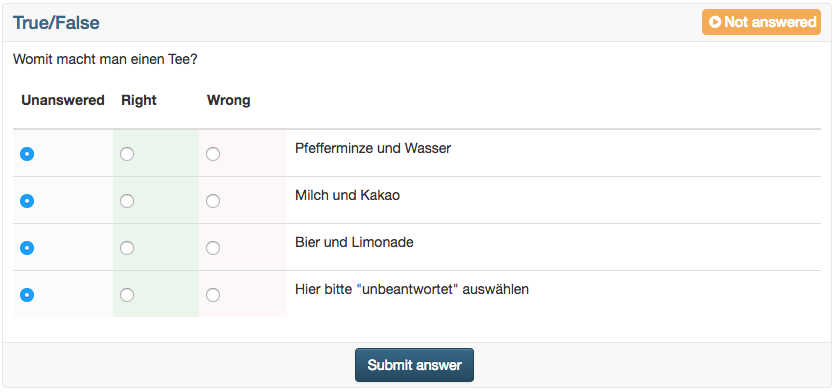
Per row, the participants choose one of three answer options: "Unanswered", "Right" or "Wrong". At the start, "Unanswered" is always selected. The three columns are fixed. In the editor you add further rows with "Add row".
You define in the editor which answer is correct in a row: in each row, select the option in the column "Right" or "Wrong". "Unanswered" can also be chosen as the correct answer: then the row counts as correct if the participants leave it open.
Unlike Kprim, you define the points freely in the Score tab: under "Method of assessment", "All correct answers" and "Score per answer" are available. With "Score per answer" you enter points in each cell of the table, if needed also for the answer option "Unanswered".
Further information
Kprim >
Question Bank: Create Questions >
Question types >
Configure test questions >
Test editor >