Order
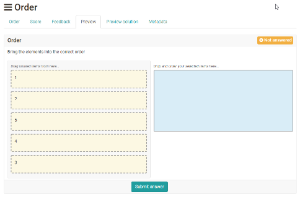
With an order question you check whether the participants know sequences or rankings. The participants put elements (text or images) in the correct order. The operation is similar to a drag and drop question.
In the test editor, owners of the test, administrators and learning resource managers add the question under Test > Administration > Test editor > Add elements > Order. In the question bank you choose the type under Question bank > My questions > Create question in the "Type" field.
First enter the title under "Title" and the question under "Question".
Then enter the answers in the correct order. The participants see the elements shuffled. Under "Alignment of answers" you define whether they appear vertically or horizontally.
Finally, define the "Min. score" and the "Max. score" in the Score tab. The assessment is fixed for this question type: if all elements are in the correct order, the participants receive the maximum score. Any other order, including a partly correct one, results in 0 points or the "Min. score" if it is above 0.
Note: Restriction to mobile devices
The participants operate this question type by dragging the answer elements. It is not optimized for touch operation. It is best suited for tests that the participants work on at a desktop computer or laptop.
Further information
Drag and Drop >
Question Bank: Create Questions >
Question types >
Configure test questions >
Test editor >