Customizing: Overview
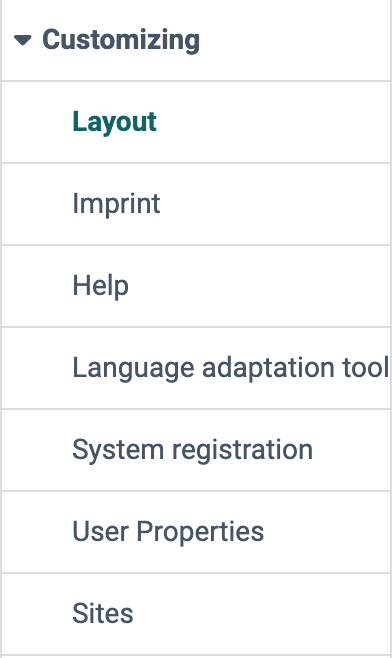
In the "Customizing" menu, administrators and system administrators adapt the appearance and the main navigation of the whole instance. You will find these settings in the system administration under:
Administration > Customizing
Profile
| Name | Customizing |
|---|---|
| Available since | Release 8.0 (2011) |
Layout
Section Layout
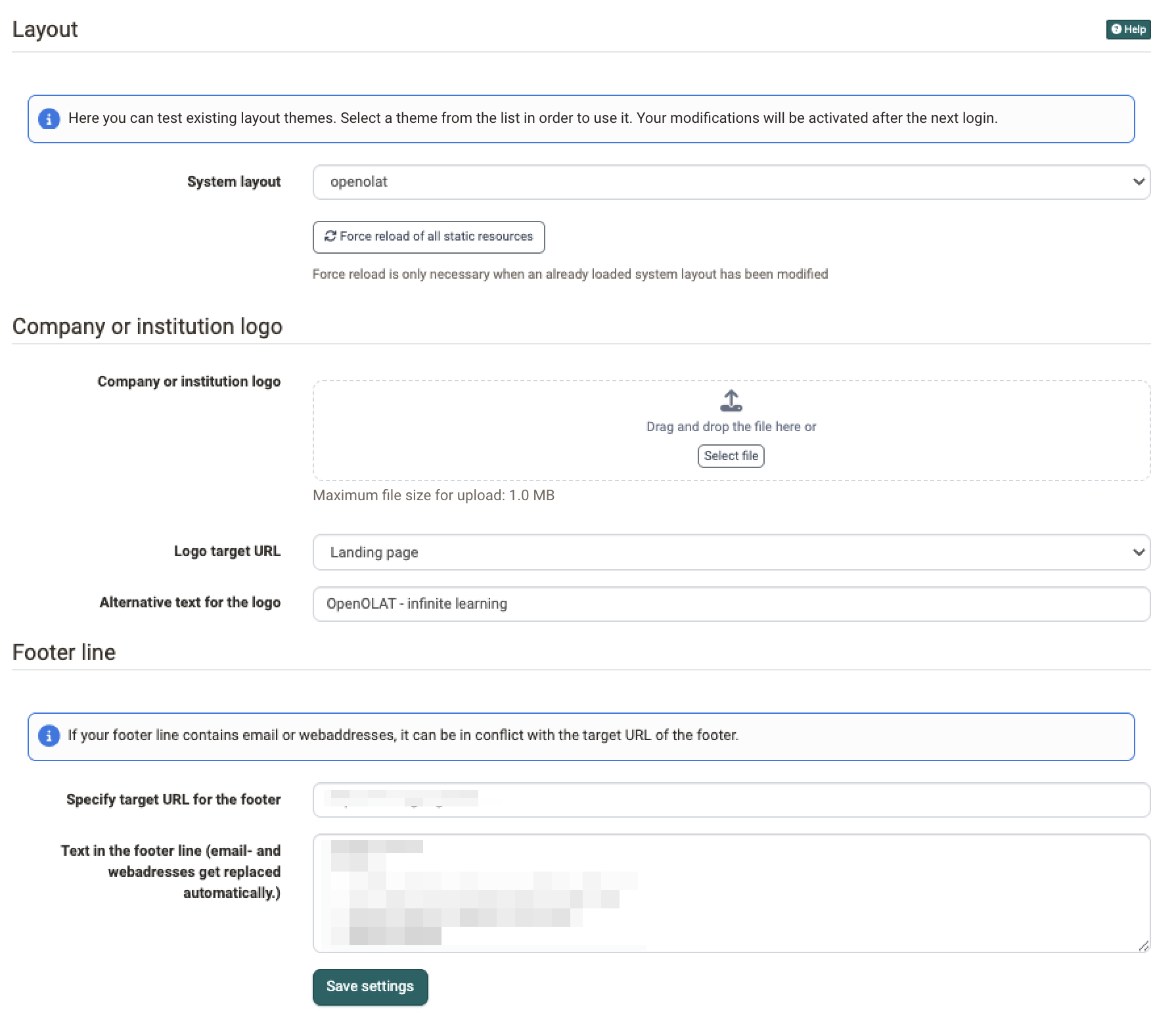
Here you define how the whole instance looks: you choose one of the installed themes in the "System layout" list. The choice applies to all people of the instance, not only to your own view.
You cannot create a new theme in the system administration. The "System layout" list only shows the themes that are installed on the server of your instance. The background image of the login page is also part of the theme. For a new or individual theme, contact the provider of your hosted instance. frentix customers contact frentix support for this: support@frentix.com. If you run OpenOlat yourself, place the theme as a folder in the directory for custom themes on the server.
If a theme that is already loaded has been changed on the server, browsers often still show the old version from their cache. With the "Force reload of all static resources" button, all browsers load the files of the theme again.
Company or Institution Logo Section
So that people recognise your organisation on every page, upload your own logo as a PNG file of up to 1 MB. OpenOlat shows it in the top-left corner of the main navigation, embedded in the selected theme. Without your own logo, the OpenOlat logo appears.
You also define where a click on the logo leads: to the landing page or to a target URL of your choice. In the field for the alternative text, you enter the text that appears in place of the logo.
Footer Properties Section
In this section, you define the text of the footer in the bottom-right corner and the target URL that a click on the footer leads to. OpenOlat automatically converts email and web addresses in the text into clickable links. If the text contains such an address, it can conflict with the target URL of the footer.
Imprint
So that people find the legal information of your organisation, you set up the imprint of the instance on the "Imprint" page. You will find the page in the system administration under:
Administration > Customizing > Imprint
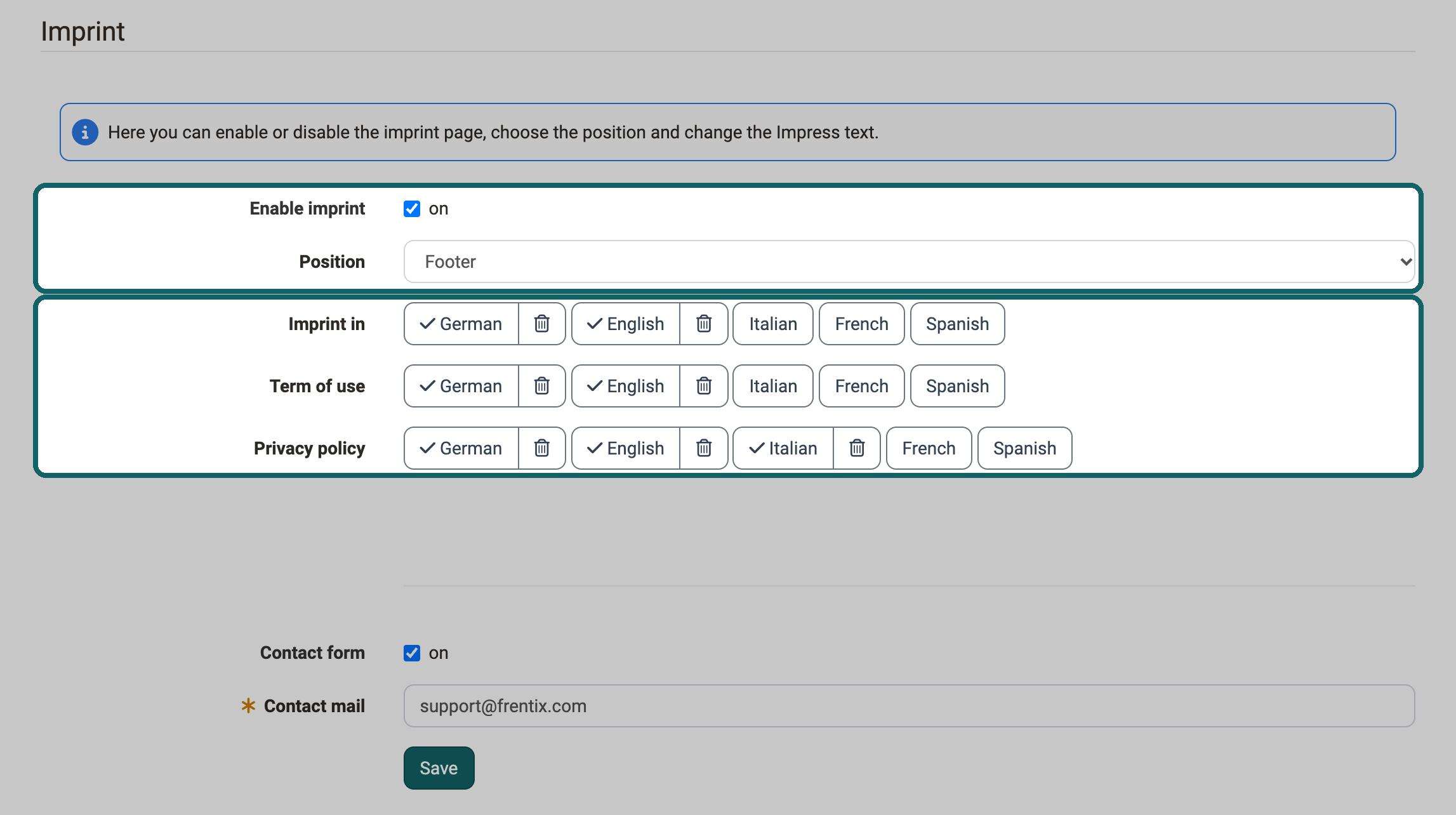
The "Enable imprint" checkbox shows the link to the imprint. Only then do the other settings of the page appear. Under "Position" you choose whether the link appears at the top ("Top") or in the footer ("Footer").
For "Imprint in", "Term of use" and "Privacy policy" there is one button per language of the instance, with which you store the text in this language. A checkmark on the button shows that a text exists for this language. With the trash icon next to it you delete the text. In the imprint the texts appear under "Imprint", "Usage terms" and "Privacy policy".
With the "Contact form" checkbox you also offer a form for general requests. The requests go to the address in the "Contact mail" field, which you store with "Save".
Help
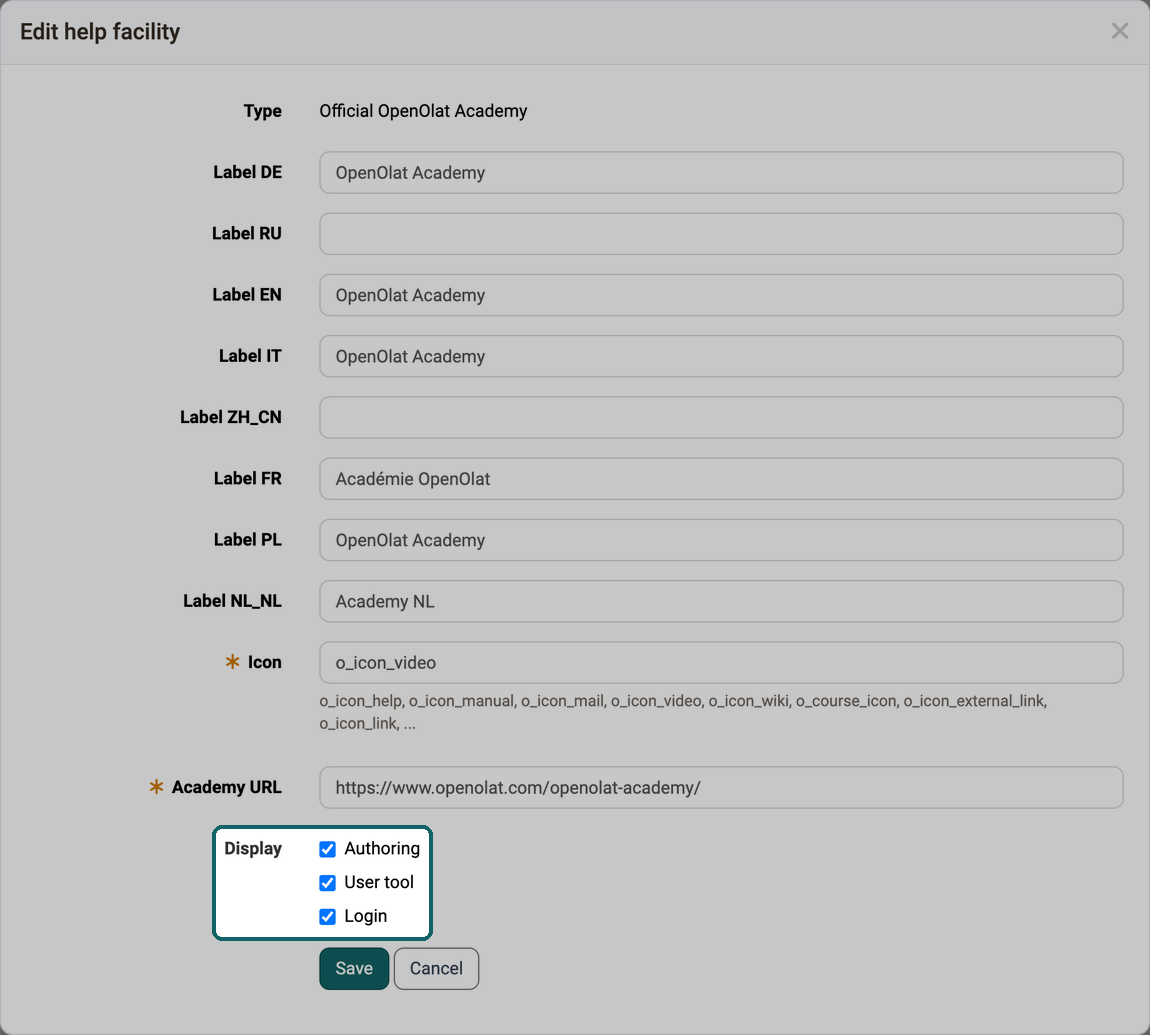
So that persons find the right help when they have questions, you define on the "Help" page which help options the help icon offers, for example the official OpenOlat manual, your own help course or a contact form for the support. For each help option you choose under "Display" whether it appears in the authoring area, in the user tool or on the login page. You will find the page in the system administration under:
Administration > Customizing > Help
Language adaptation tool
If a label of the user interface does not match the language of your organisation, you change individual text elements for the whole instance with the language adaptation tool. You will find the tool in the system administration under:
Administration > Customizing > Language adaptation tool
The "Start" button opens the tool in a new window.
System registration
OpenOlat is open source and needs an active community of users. With the system registration, you register your installation with openolat.org. You will find the page in the system administration under:
Administration > Customizing > System registration
You choose whether OpenOlat transfers statistical data to openolat.org anonymously, whether the installation is published at openolat.org and whether you get information on new releases and security updates.
Portal
The portal is a site of the main navigation on which people arrange quick links, for example to their groups, courses or the calendar, themselves. You enable it on the "Sites" page in the "Order" tab with the entry "Portal". Which quick links a person shows on their portal, they define themselves with "Configure page", see Portal configuration.
Tip
We recommend not using this feature. It has been superseded by numerous modules in OpenOlat and is thus a historical remnant that nevertheless cannot simply be switched off.
User properties
Which details OpenOlat keeps about a person, what these details are called and where they appear is defined by administrators and system administrators for the whole instance. In one place you decide which data your organisation collects and which fields persons fill in in their profile, when an account is created or during self-registration. You will find the settings in the system administration under:
Administration > Customizing > User Properties
The page has three tabs: "Properties" for the individual details, "Contexts" for the places where the details appear, and "Reset" for the whole configuration at once.
What is a property?
Every field a person fills in in their profile is a property: a single detail about a person, for example "Date of birth" or "Organizational unit/study group". A property is either active or deactivated for the whole instance.
The "Properties" tab lists all properties with their technical name and their label. There you assign a property to a group and adapt its label per language in the column "Translate". The group decides under which heading the field appears in the profile: fields of the group "account" appear there under "Personal data".
What is a context?
The same property appears in many places in OpenOlat: in the profile, as a column in the table of the user management, in the form for creating an account, when importing users, in the self-registration and in the data of the REST API. Each of these places is a context. A context has its own selection of properties and defines for each property whether it is mandatory there. This way a detail can appear in the user management without the self-registration asking for it.
The "Contexts" tab lists all contexts with their technical name and a description. The profile, for example, is called "org.olat.user.ProfileFormController" there.
Whether a detail appears in a place is therefore decided twice: at the property, which must be active, and at the context, which must use the property.
Activate and deactivate a property
If your organisation does not need a detail for a while, deactivate the property instead of removing it from every context one by one. To do so, switch it off in the "Properties" tab in the column "Active". Before deactivating, OpenOlat asks "Deactivate?". You activate a property without a confirmation question.
OpenOlat hides a deactivated property in all contexts, that is in the profile, in the tables and in the forms. The values persons have already entered stay stored. The properties "First name", "Last name", "E-mail", "E-mail address changed" and "Block E-Mail delivery" cannot be deactivated, their switch in the column "Active" cannot be changed.
When you deactivate a property, its configuration in the contexts is kept. If you activate it again, it appears in the same places as before and with the same settings for "Mandatory", "Admin only" and "User: readonly". This way you hide, for example, the date of birth for one semester and show it again unchanged afterwards.
If a property is in no context when you activate it, OpenOlat adds it to the contexts in which the system configuration provides it, with their settings. Properties that were already deactivated before the update to Release 21.1.1 are in no context, and neither are properties that "Default" or "Minimal" in the "Reset" tab has deactivated.
View and edit contexts
Where a detail appears is shown in the "Properties" tab in the column "Contexts": for each property the number says how many contexts use it. A click on the number opens the "Contexts" tab, filtered on this property. For a deactivated property the number still shows the stored contexts, but it cannot be clicked.
In the "Contexts" tab you choose in the filter "Property" either "All active properties" or a single active property. The entries show the technical name and the label, for example "birthDay · Date of birth". The column "Property count" counts only the active properties in each context.
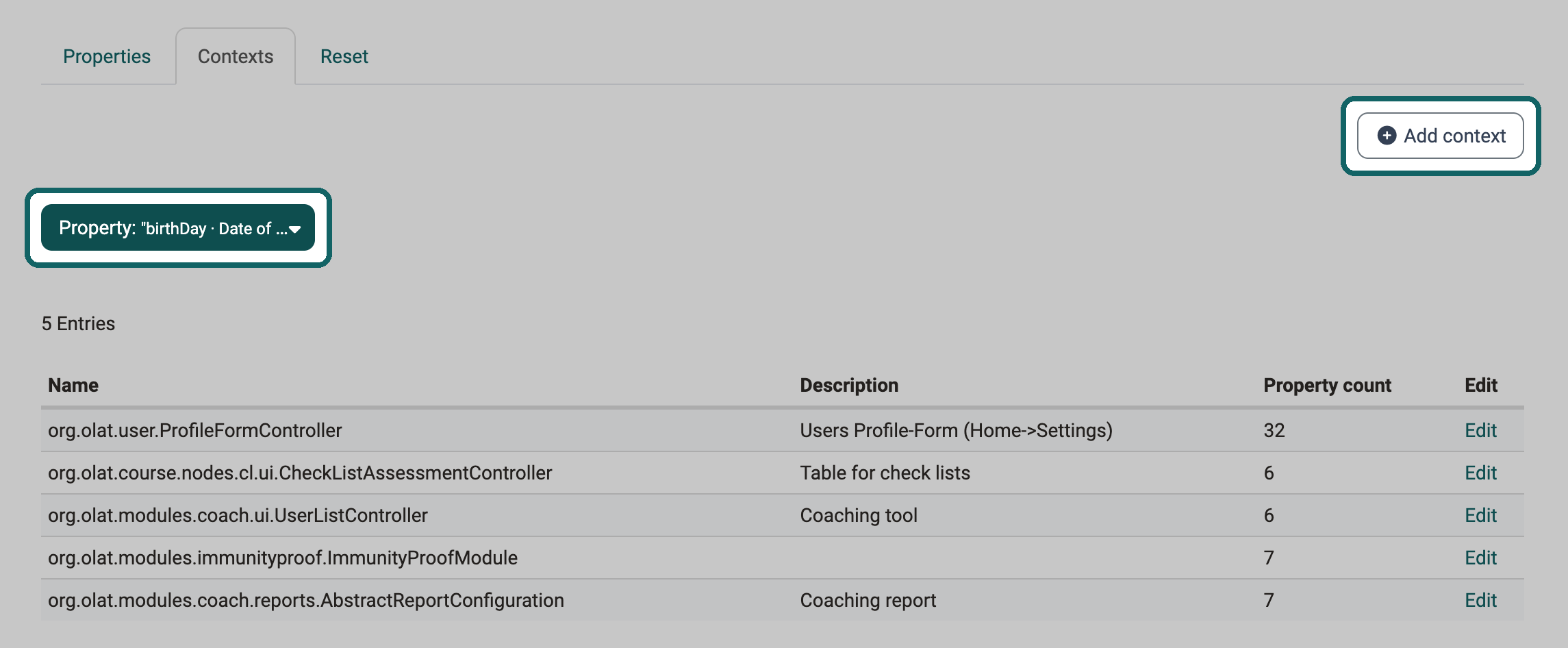
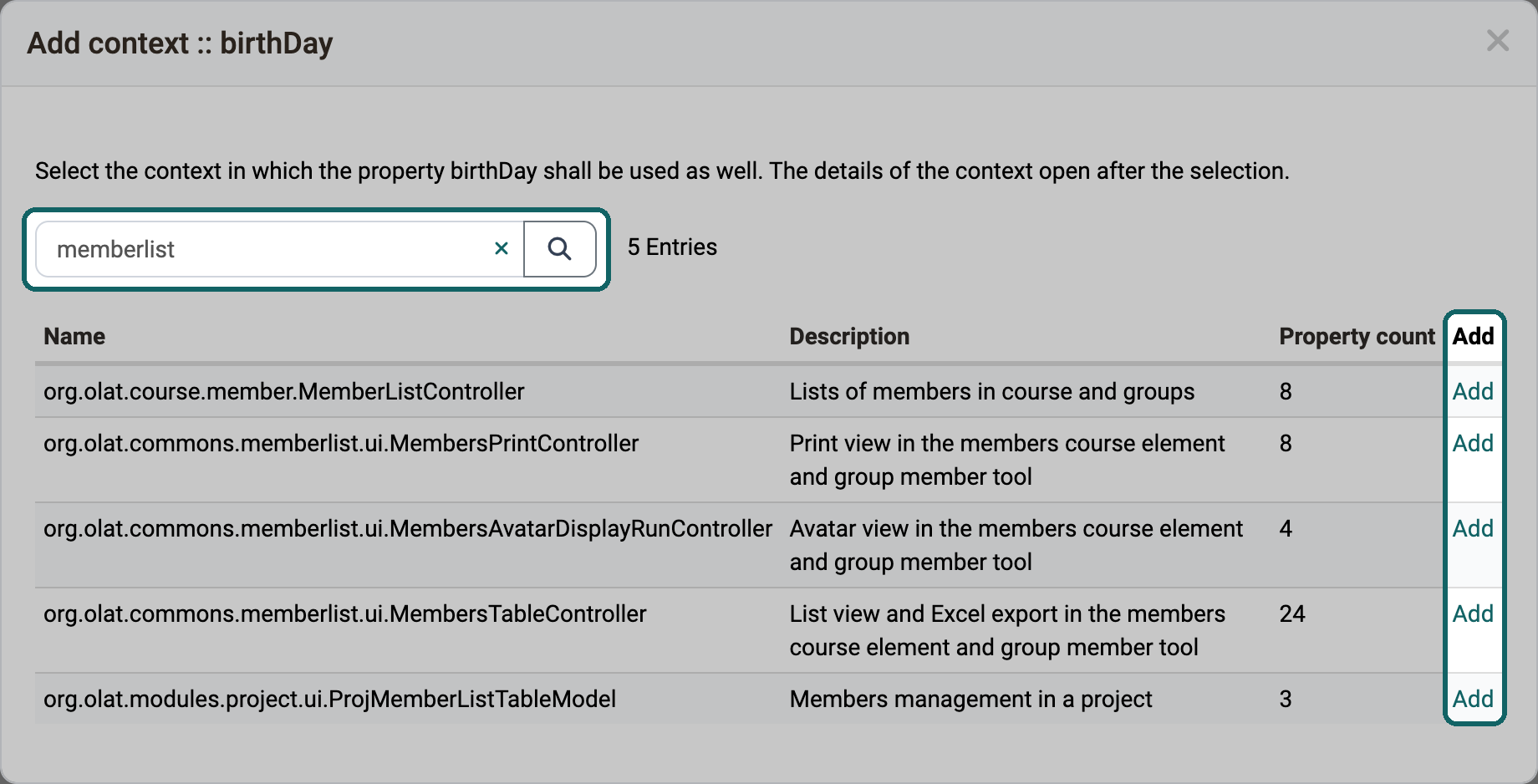
If the list is filtered on a property and not all contexts use it yet, the "Add context" button appears at the top right. With it you add the property to further contexts without opening each one. The "Add context" dialog lists all contexts that do not use the property yet. With the search field you narrow down the list by name or description. A click on "Add" in a row adds the property to this context immediately and opens its "edit Context" dialog.
In the "edit Context" dialog you define which properties this context shows (column "include") and in which order. You also set for each property the settings "Mandatory", "Admin only" and "User: readonly". You open the same dialog with "Edit" in a row of the list. Deactivated properties do not appear in it.
Reset the configuration
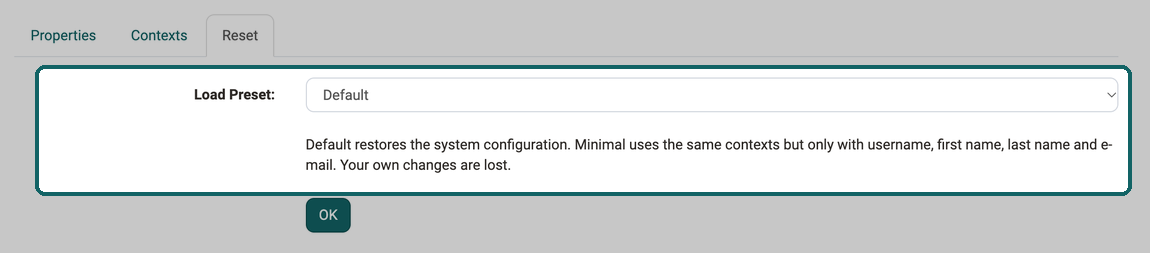
After many individual changes it is often no longer clear where a setting comes from. With the "Reset" tab you return to a fixed state. The drop-down "Load Preset:" offers two presets:
- Default restores the system configuration, that is the state of a new installation.
- Minimal uses the same contexts, but only with the properties "Username", "First name", "Last name" and "E-mail". This preset suits an instance that is to keep as few details about persons as possible.
OpenOlat computes both from the system configuration of the installed version. They therefore take into account every property and every context of this version, also after an update.
A reset replaces all settings of the tabs "Properties" and "Contexts": which properties are active, their groups and, in every context, the properties used, their order and the settings "Mandatory", "Admin only" and "User: readonly". Your own changes are lost. Labels you have adapted in the column "Translate" are kept.
Attention
OpenOlat loads the selected preset immediately after "OK", without asking again. The step cannot be undone. Note down your settings beforehand if you want to restore them later.
Below the drop-down a note sums up both presets. After "OK" OpenOlat reports "Predefined config loaded...".
Skype ID, Xing, LinkedIn and ICQ
The properties "Skype ID", "Xing", "LinkedIn" and "ICQ" are deactivated in the system configuration. On a new installation and after "Default" they therefore appear neither in the profile nor in the user management. If your organisation needs one of them, activate it in the "Properties" tab in the column "Active".
On an existing installation it depends on whether the settings of this page have ever been saved. If they have never been changed, the four properties are deactivated after the update as well. If they have been changed before, the four properties stay as they are saved until you load "Default". OpenOlat never deletes values that persons have already entered.
Sites
On the "Sites" page, administrators define which sites the main navigation in the top row offers, in which order and for which roles. You will find the page in the system administration under:
Administration > Customizing > Sites
What a site is and what decides whether a person sees it is explained in the user manual on the page Sites and modules.
Tab Order
In the "Order" tab, you enable the sites for the whole instance and arrange them. The "Enabled" checkbox enables a site, and the "Up" and "Down" arrows set the order. Some entries in the list are named differently from the site in the main navigation. The entry "My courses" appears there as "Courses".
The "Coaching tool" entry cannot be deactivated, because coaches and owners reach their learning resources through Coaching. The "Enabled" checkbox is greyed out. Order and access remain adjustable.
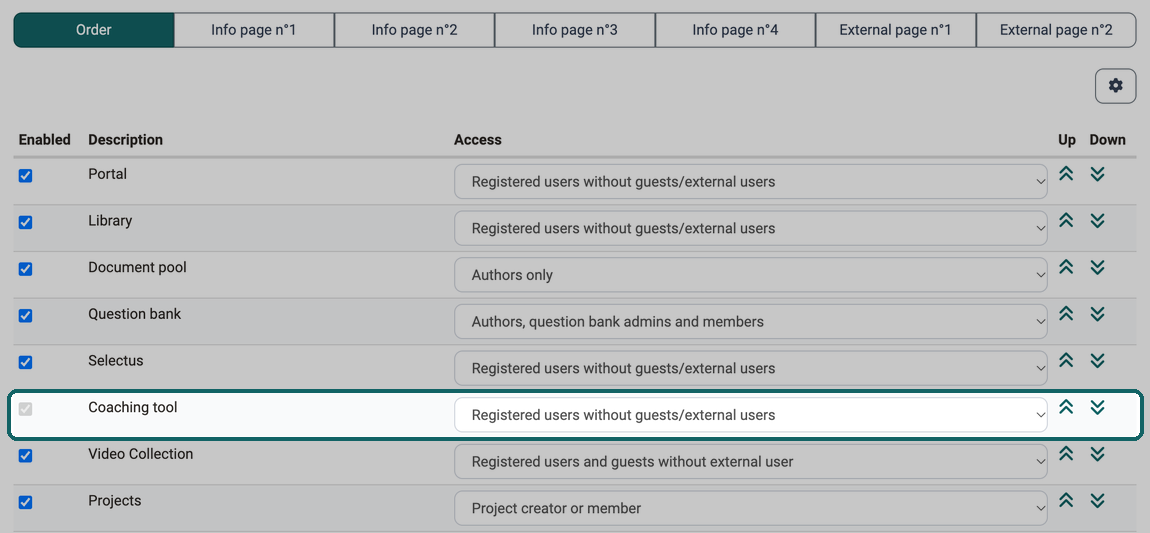
The list applies to the whole instance. Three further points decide together whether a person sees a site.
The module must be active. An entry only appears if the corresponding module is switched on as well. An activated "Catalog" entry has no effect as long as the Module Catalog is switched off. While a module is switched off, the "Enabled" checkbox of its entry is greyed out.
The "Access" column decides per role. It determines which roles see the site, for example "Registered users without guests/external users" or "Learning resource managers and authors only". Two people with different roles therefore see a different main navigation.
The space in the bar decides the presentation. Sites that no longer fit into the top row are collected by OpenOlat in the "More" menu on the right. This depends on the screen width of the viewer and cannot be configured.
Other tabs
In the tabs "Info page n°1" to "Info page n°4", you add one course each as a separate site to the main navigation, for example for information addressed to all people of the instance.
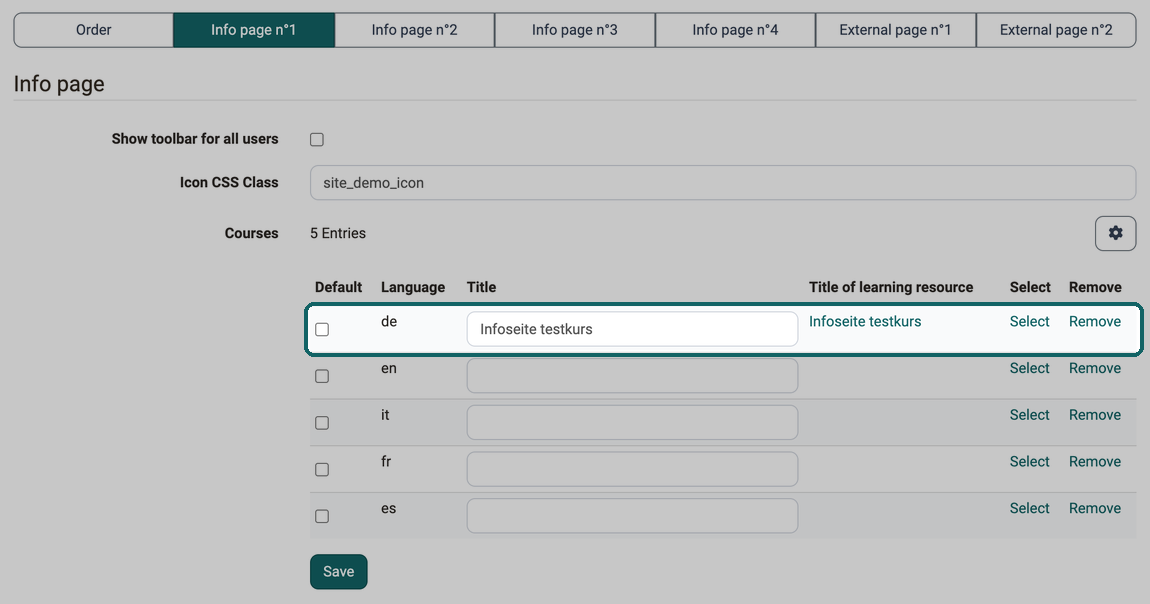
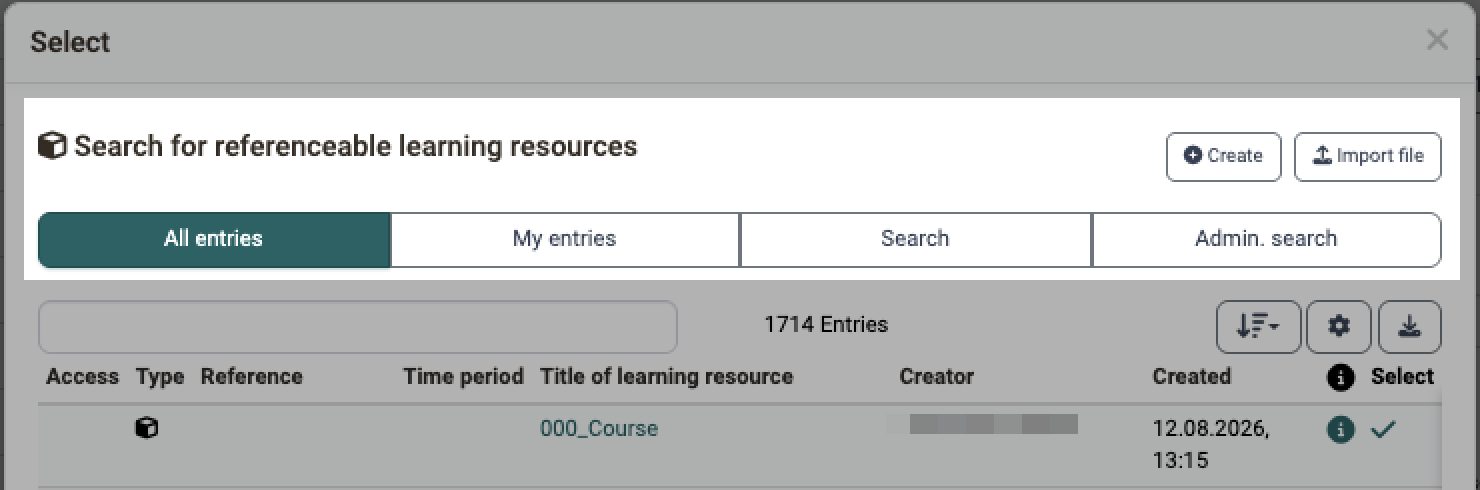
For each language you store a separate title and a separate learning resource. With "Select" you open the search for the referenceable learning resource. Only there do you connect the site with a course. The "Default" checkbox determines the entry that applies when no entry is stored for the language of a person.
In the "Icon CSS Class" field, you set the symbol of the site. With the "Show toolbar for all users" checkbox, all people see the toolbar of the course. Without a checkmark, only people who may manage the course see it, for example owners.
In the tabs "External page n°1" and "External page n°2", you add an external URL with its own title per language as a site.
With the "iFrame" checkbox, OpenOlat shows the page embedded in the site. When you save, OpenOlat calls the address and checks whether the page allows embedding. If the address lies in the local network and the "SSRF mitigation" checkbox is selected in the system administration under Administration > Login > Security, OpenOlat rejects the address. OpenOlat reports a rejected address the same way as a page that does not allow embedding: "This URL does not support iFrame embedding." An address from the local network can only be allowed through an exception in the server configuration, see Security.
Further information
Mentioned on this page
Portal configuration >
Sites and modules >
Module Catalog >
Security >
Further reading
Modules: Overview >
Landing pages >
Navigation >