Module To-do
Activation
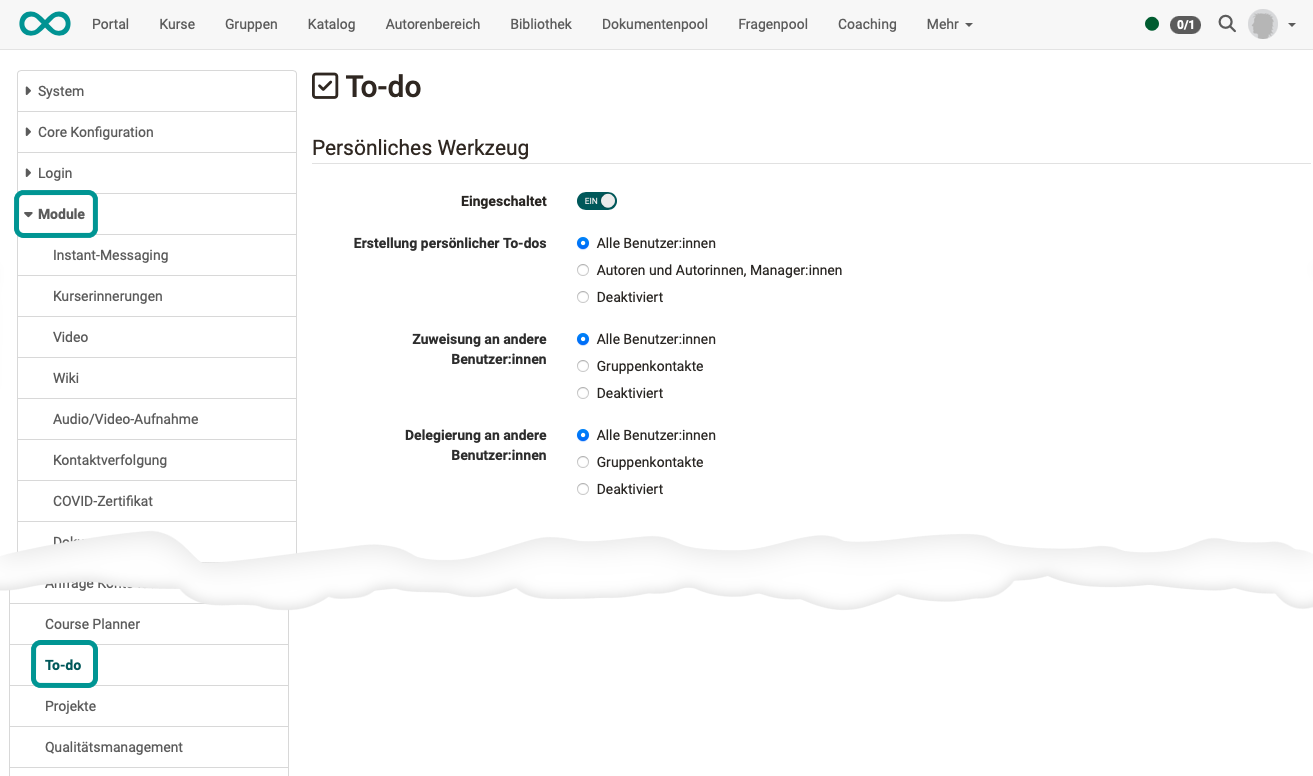
The module "To-do" as a personal tool must be activated by an administrator.
User tool
Enabled
Switches the personal "To-do" tool on or off for the OpenOlat instance. If the field is off, the tool is not available in the personal menu, and the following fields are hidden.
Creation of personal to-do
Defines who may create personal to-dos: all users, only authors and managers, or nobody (disabled).
Assignment to other users
Defines which users are available as recipients of an assignment: all users, only group peers, or none (disabled).
Delegation to other users
Defines to which users a to-do may be delegated: to all users, only to group peers, or to none (disabled).