Course Element "CP learning content"
Profile
| Name | CP learning content |
|---|---|
| Icon | |
| Available since | New edition with release 16.2 |
| Functional group | Knowledge transfer |
| Purpose | Display learning content in IMS CP format |
| Assessable | no |
| Specialty / Note |
Use the "CP learning content" course element to embed learning content in the IMS-CP format (IMS-CP Version 1.1.2) into your course. You can either create the CP directly in OpenOlat, as explained in the chapter "How do I create a Content Package?", or you can create it externally.
Tab Learning content
In the Course Editor, the "CP learning content" course element is displayed as a single course element whose content (the Content Package) can be created, edited, or replaced.
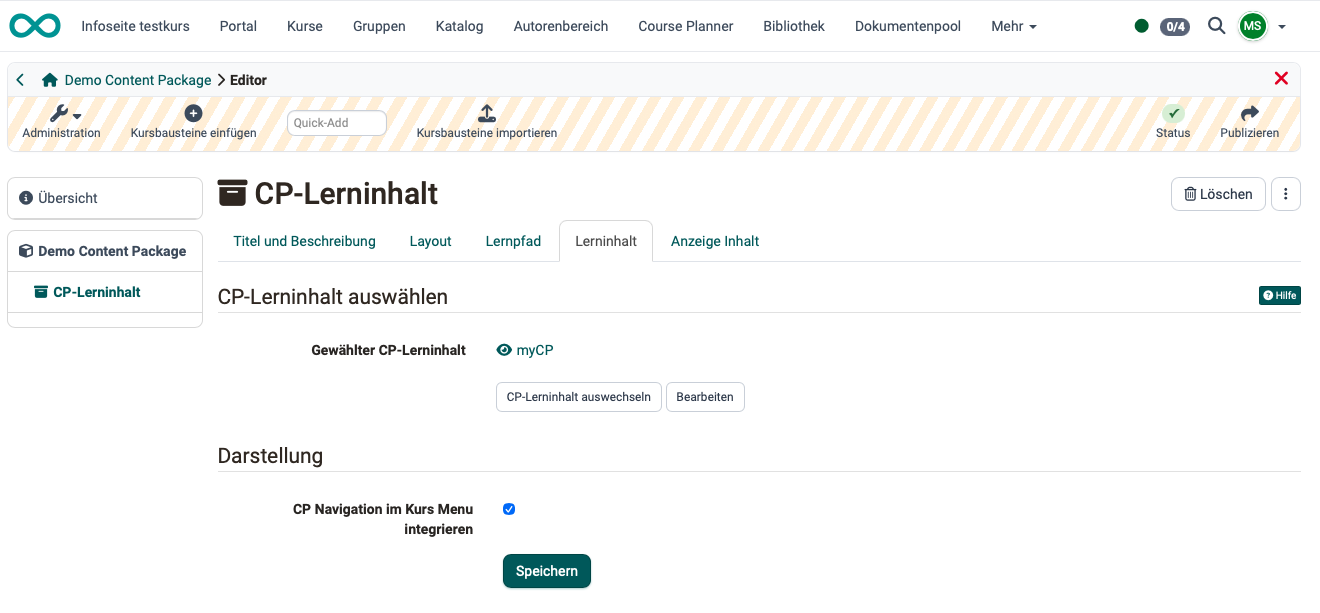
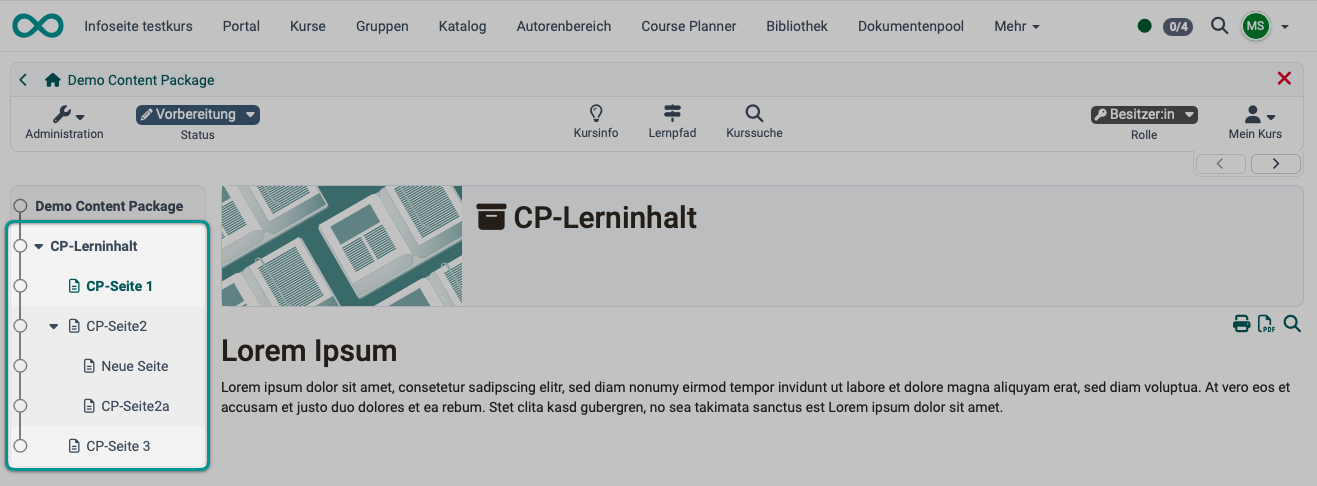
However, the content package itself usually consists of several pages. The structure of this content is displayed directly in the OpenOlat menu if the option "Integrate CP navigation into the course menu" is enabled.
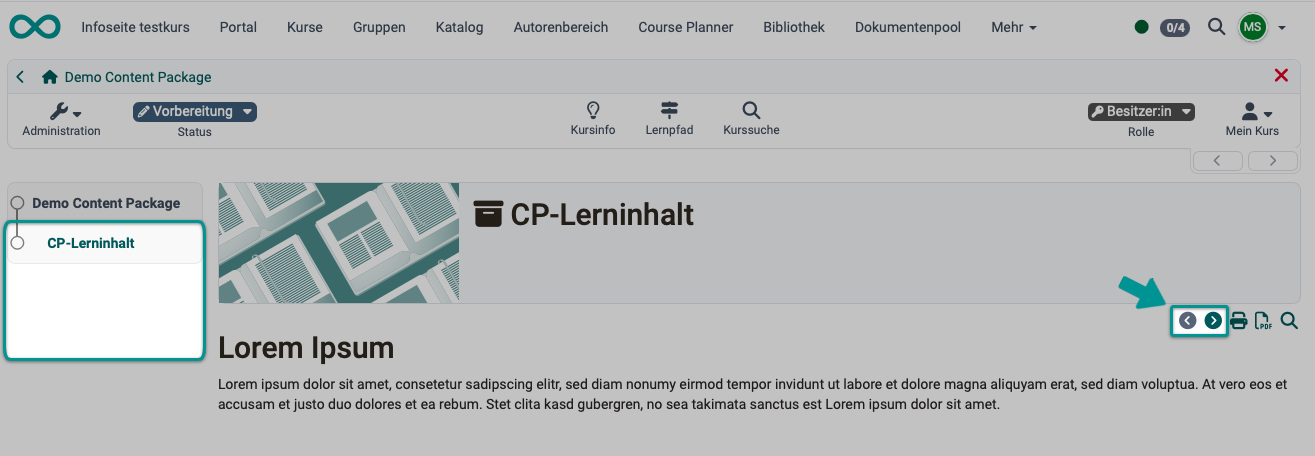
Otherwise, the structure is not visible to participants. Once they have accessed the course element, they can navigate through the course element's content pages using the separate buttons in the top-right corner of the content area.
Further information
Mentioned on this page
How do I create a content package? (Step-by-step instruction) >
Further reading
Creating and editing a content package >