Projects - Project report
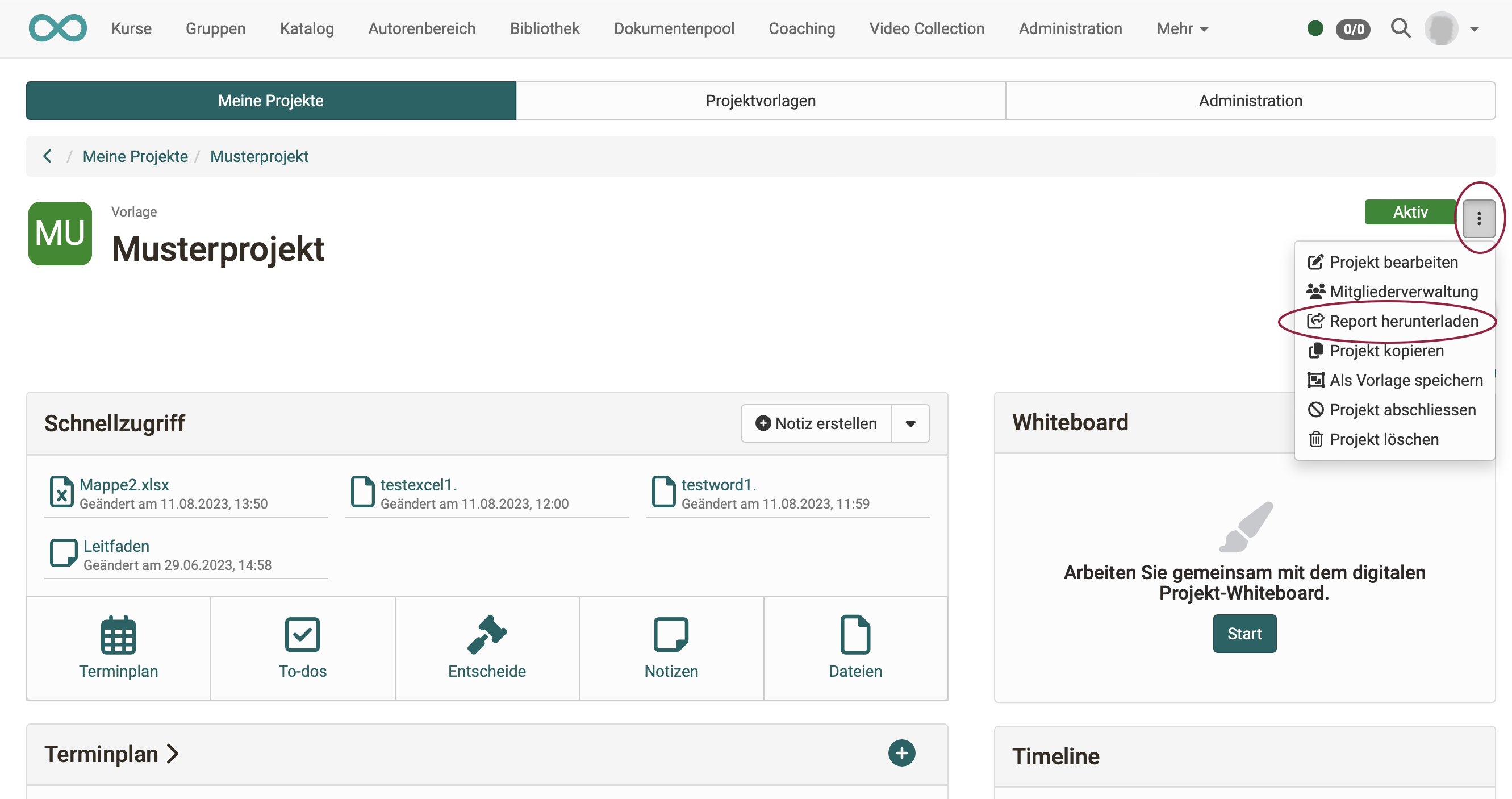
The project report summarizes the most important project data. It can be downloaded if required, prepared for the management or meetings, and also archived. You download the report in the project via the 3-dot menu at the top right: Projects > Tab "My projects" > Select project > 3-dot menu > "Download report".
The report consists of a Word document containing details of the project (title and teaser), the project members and all content such as timeline, appointments, milestones, to-dos, notes of the project and the current state of the whiteboard. In addition, all files and notes are stored separately in a folder. (The video and audio files recorded with the recording function in OpenOlat itself can also be found there.)
The report can be restricted by time range, for example to create weekly or monthly summaries. The content can be sorted either chronologically or by object type.