Search other Users
Search for people in the personal menu
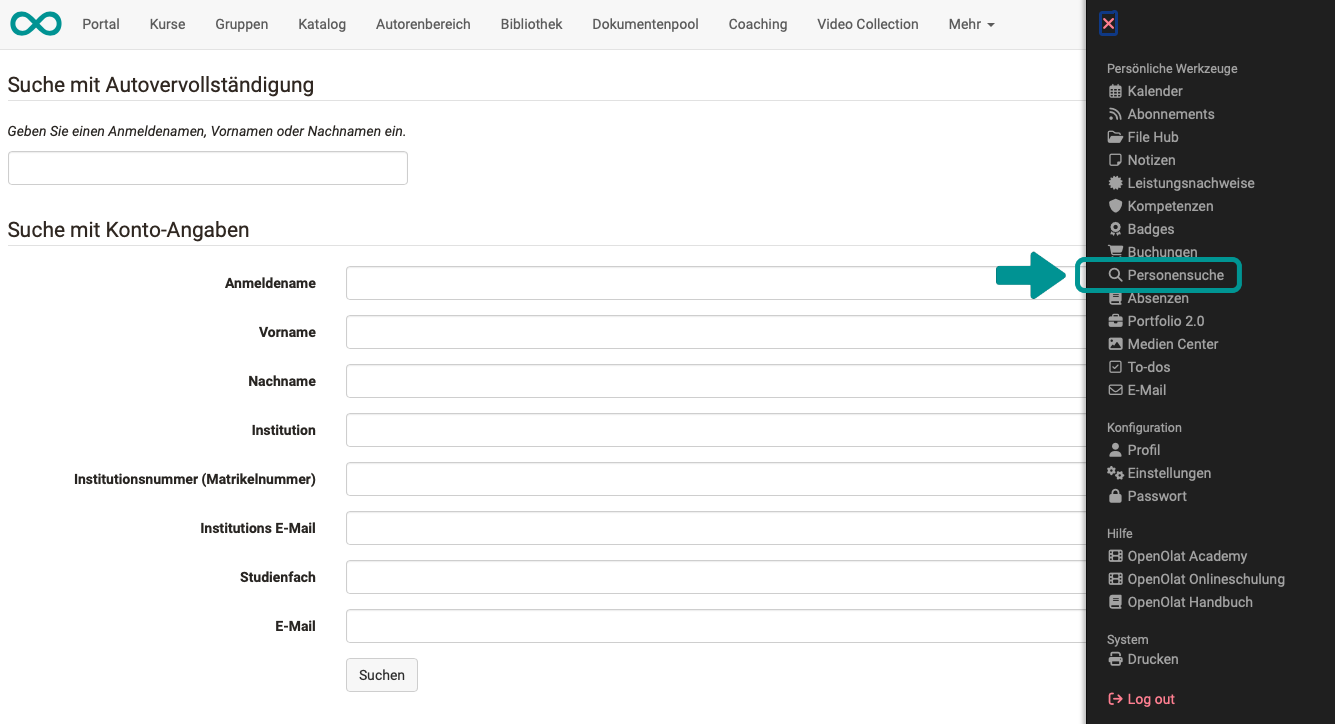
If you are looking for a specific person from the group of users registered on your OpenOlat instance, the best way to do this is the entry "Other users" in the personal menu.
The search form has two sections: "Search combined with auto-completion" with a single field for username, first name or last name, and "Search along with user attributes" with individual fields to narrow down the search. Enter at least one search term with at least four characters.
Search for people in user management
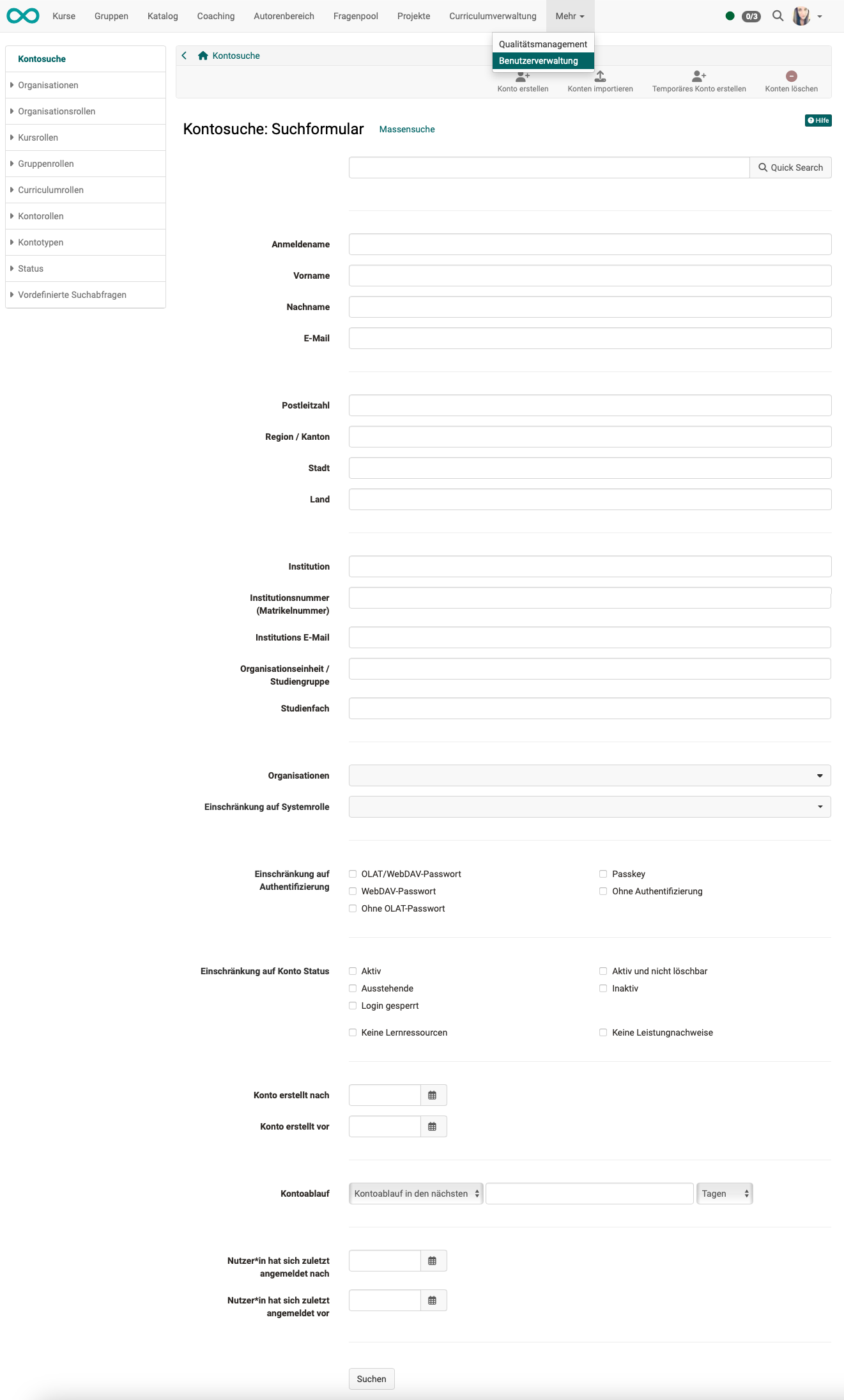
If your job involves managing the users of the OpenOlat instance, you need the User manager role. This role grants you access to user management and allows you to view and edit the data of all users.
To efficiently find a specific user, there is a user search that allows you to search for people based on very specific criteria.
A bulk search is also available.
Search for people in Coaching
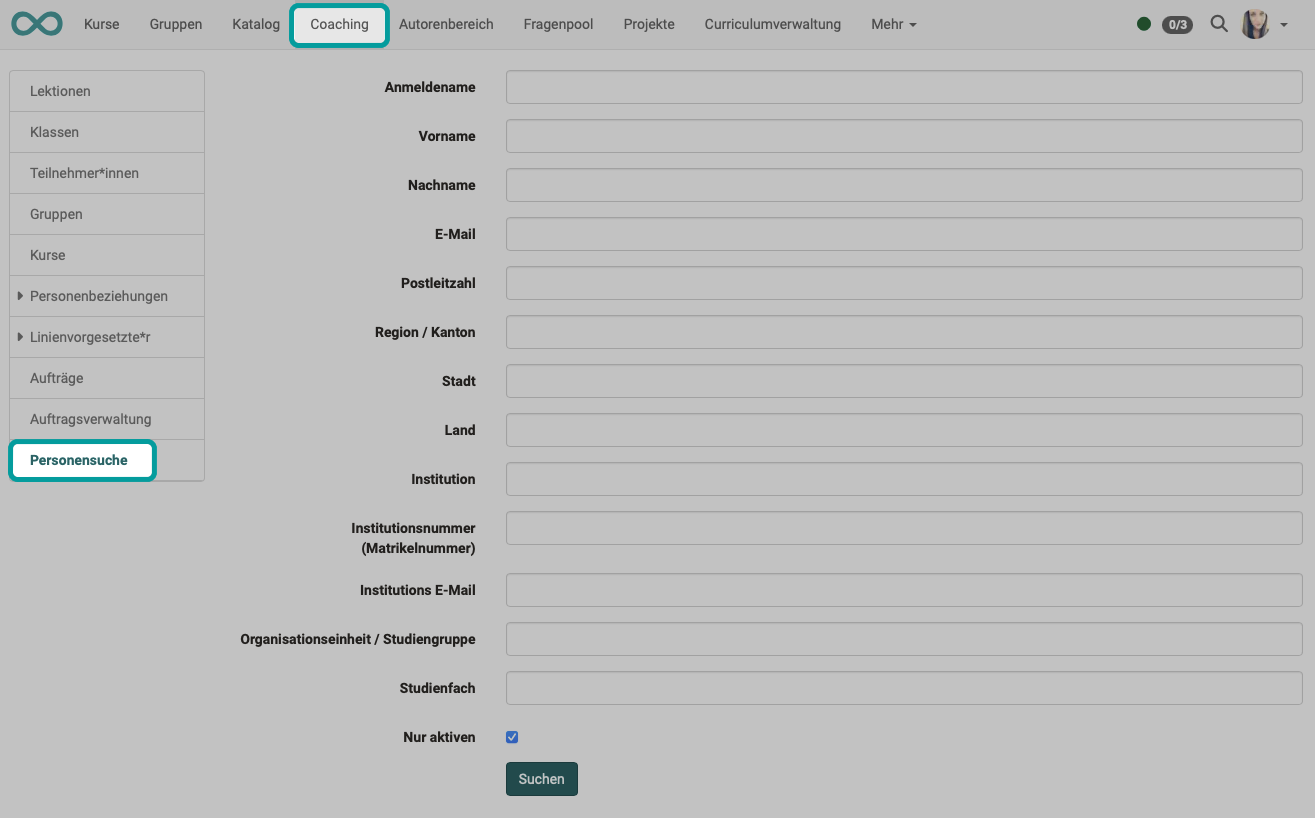
Coaching is designed to support participants across courses. When dealing with many courses and participants, a user search that searches only within the group of people you are responsible for is helpful.
Search for people in a course
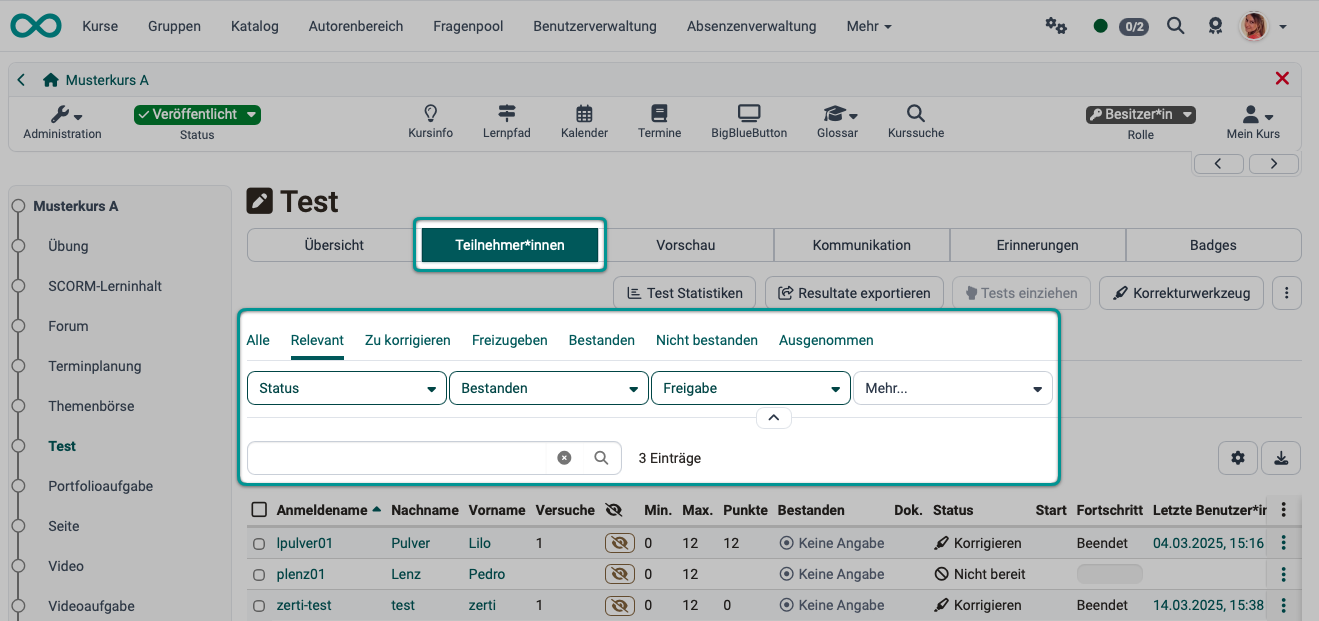
As a coach, when you click on an assessable course element, you do not immediately see the content of the course element; instead, you see tabs related to your duties as a coach. In the Participants tab, you can select a specific person and track their progress and results in this course element.
Various filter options with different preselections are available to you. You can also enter a specific name in the search field.
Example:
Course members who do not have access to the selected course element (because they have been excluded) appear in a separate preselection "Excluded", but not under "Relevant".
Further information
General information on the search >
Coaching - Overview >
Coaching - User search >
Global search >
Local search >
Search in a course >
Search in the File Hub >