Security Levels
Which security levels are available?
Passkey is part of a three-level security concept in OpenOlat:
Level 1 - Password: login with password only
Level 2 - Passkey: login with passkey only
Level 3 - Password & Passkey (2FA): login with password and passkey (2-factor authentication)
In addition, system administrators can activate the One Time Code. Users without a stored passkey then confirm their login with a confirmation code sent by e-mail.
Security levels set by system administrators
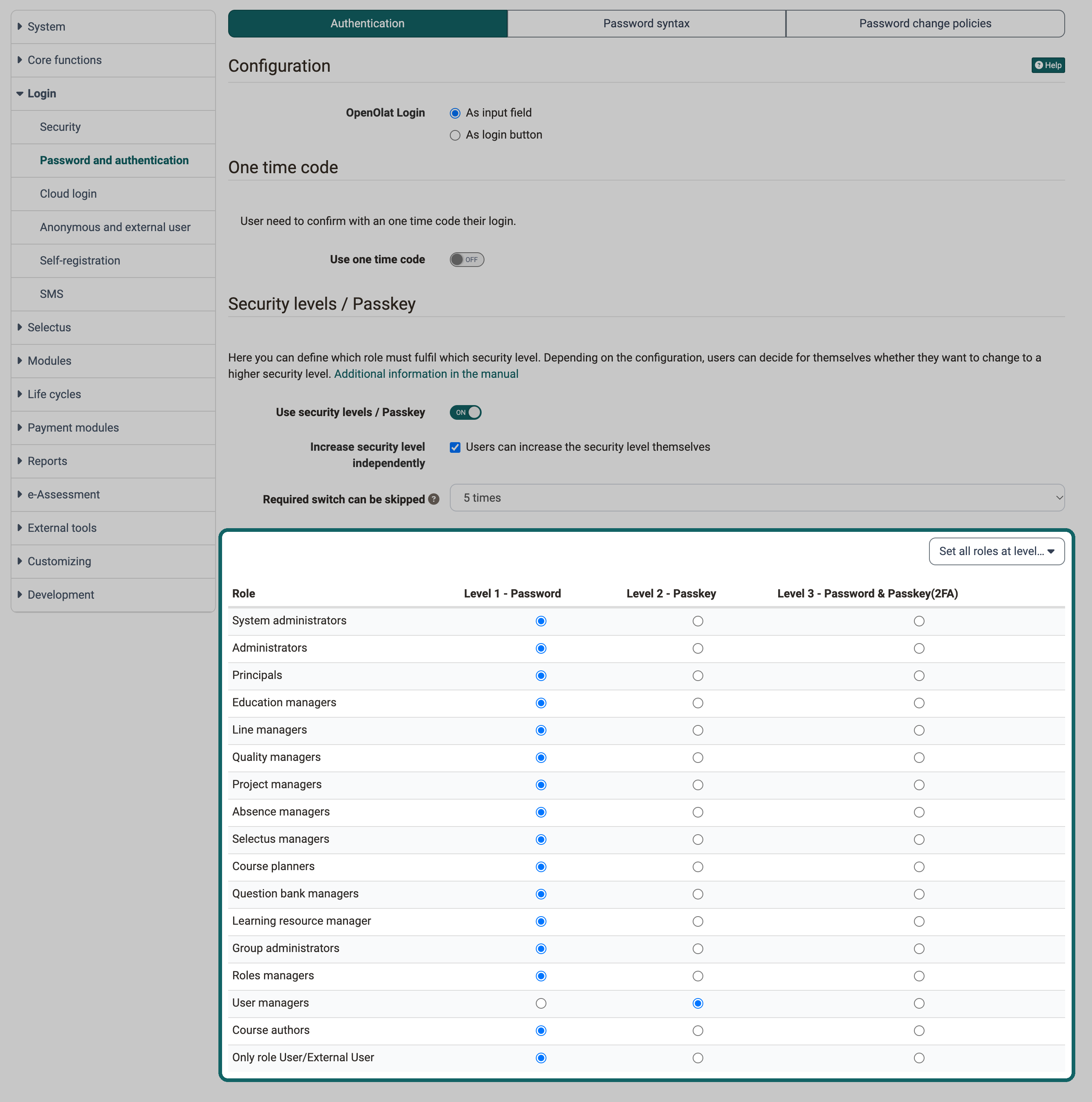
For some roles a higher security level makes sense, e.g. for user managers or administrators. In OpenOlat, a minimum required security level can therefore be set separately for each role. System administrators set the level per role in the system administration under:
Administration > Login > Password and authentication > Tab "Authentication"
With the button "Set all roles at level…" one level is applied to all roles at once.
Change of a security level
With the option "Increase security level independently", system administrators can allow users to set their security level themselves.
The change is made with the button "Change security level" under:
Personal Menu > Password

If a passkey is required for upgrading, users can generate the passkey themselves, also under Personal Menu > Password.
If users are allowed to change their security level themselves, upgrading and downgrading are possible in principle. Whether a downgrade is possible, however, depends on the default set by the system administrators.
The minimum level is set by system administrators. If, for example, level 2 is specified for the role of user manager, a user manager cannot downgrade to level 1 (password only), but can only choose between level 2 (passkey only) and level 3 (2-factor authentication).