Anonymous guests and external users
In addition to registered users, OpenOlat can also be used by
- Guests (anonymous, can only use the offers available to guests)
- External users (at least known by email, are only invited by email to a very specific course/group/portfolio/project, maximum usage period: default setting 180 days)
Administrators can determine whether and to what extent OpenOlat can be used in this way. You find these settings in the system administration under:
Administration > Login > Anonymous and external user
Anonymous guests
-
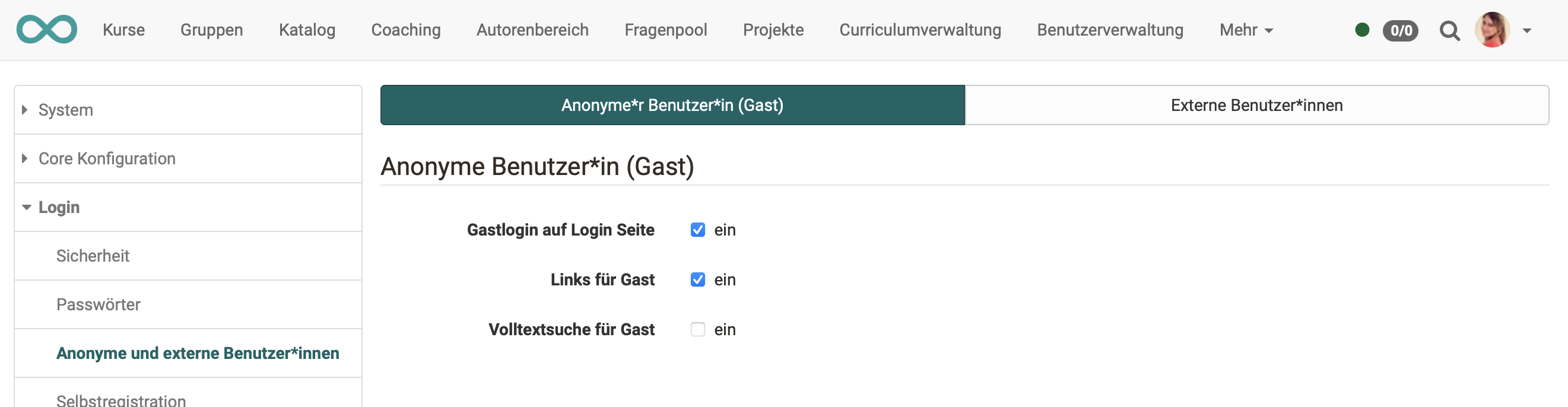
"Guest login on login page":
Means that the guest access can be chosen on the login page. -
"Links for guests":
In the access configuration access of courses can be given to guests. -
"Full-text search for guest":
Allows guests to search system-wide for courses that are available to them.
External users
Course
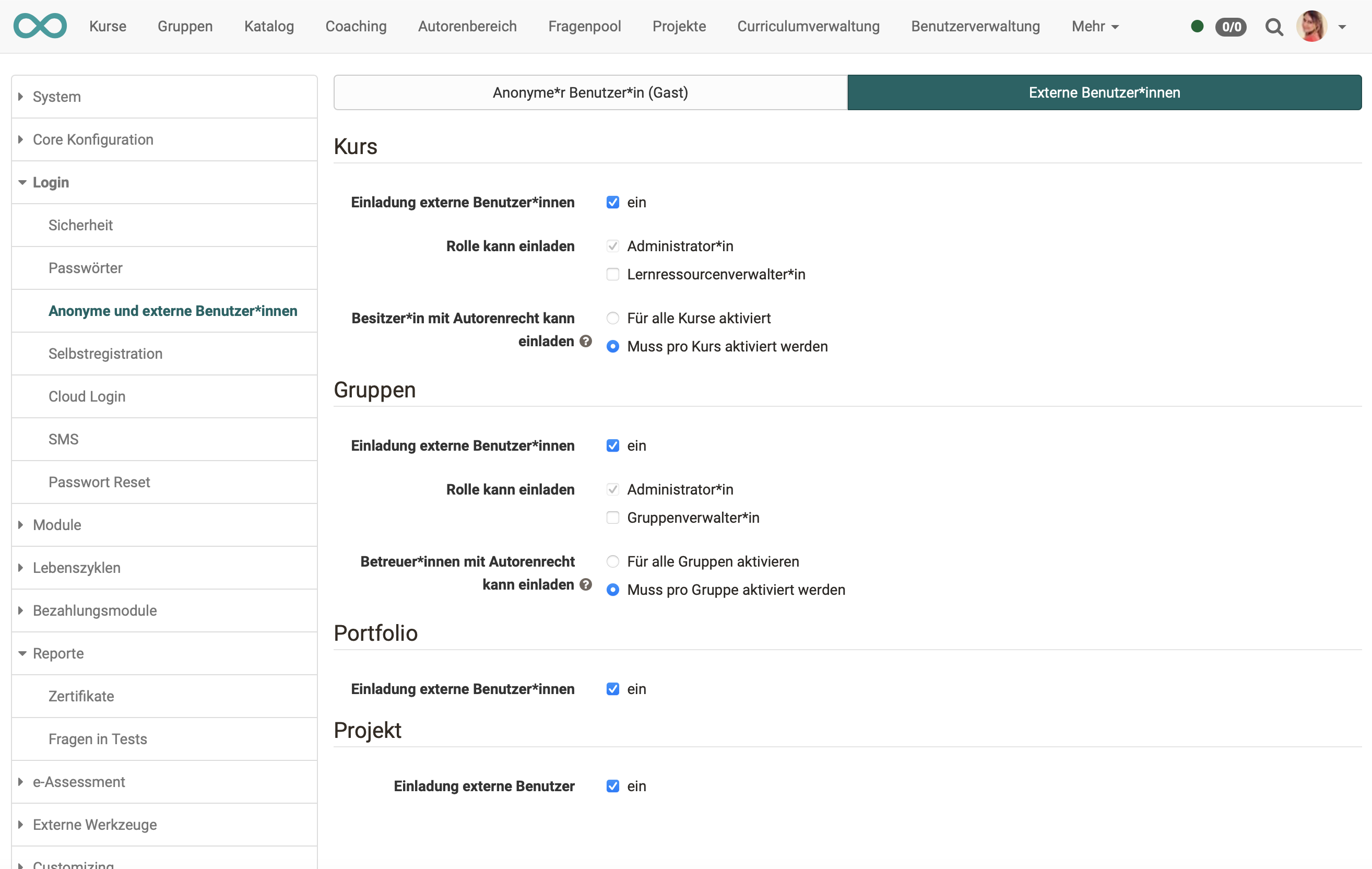
"Invitation external users":
This setting determines whether external users are generally allowed for courses and can be invited.
Role can invite
This setting determines which roles may invite external users to courses:
- by administrators
- by learning resource managers
Owner with author role can invite
- For all courses activated: Means that course owners can invite external users at any time.
- Must be activated per course: Means that an administrator or learning resource manager must first activate the function in the course settings before course owners can invite external users to a course.
Groups
"Invitation external users":
This setting determines whether external users are generally allowed in the "Groups" area and can be invited.
Role can invite
This setting determines which roles may invite external users to groups:
- by administrators
- by group managers
Coach with author role can invite
- Activate for all groups: Means that group coaches can invite external users at any time.
- Must be activated per group: Means that an administrator or group manager must first activate the function in the group administration before group coaches with author rights can invite external users to a group.
Portfolio
"Invitation external users":
This setting determines whether external users are generally allowed in the "Portfolio" area and can be invited.
Project
"Invitation external users":
This setting determines whether external users are generally allowed in projects and can be invited.
Hint
In user management under User type > External user you get an overview of all external users.