Reports: Overview
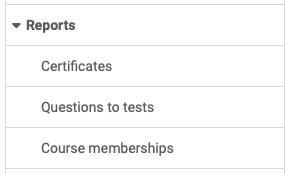
You find the reports in the system administration under:
Administration > Reports
System administrators can request reports on the following areas:
Certificates
Here it is possible to search for specific certificates, e.g. all certificates for a specific date or a specific course. After the search, the matching report can be downloaded. This gives an overview of all people who have passed the certificate for the respective search criteria.
For more details on certificates >
For more details on recertification>
To the top of the page ^
Questions to tests
In the Reports section, system administrators can search for specific test questions. For example, all questions by an author or a specific title can be displayed.
Course memberships
System administrators can export Excel tables here that summarize who is a member of which courses. Tables can be created for participants, coaches and owners (in a summarized table or individually).
Further information
Mentioned on this page
Course Settings - Tab Assessment: Certificates and recertification >
Further reading
e-Assessment Administration: Certificates >
e-Assessment Administration: Assessment management >
Members management >