Module External page
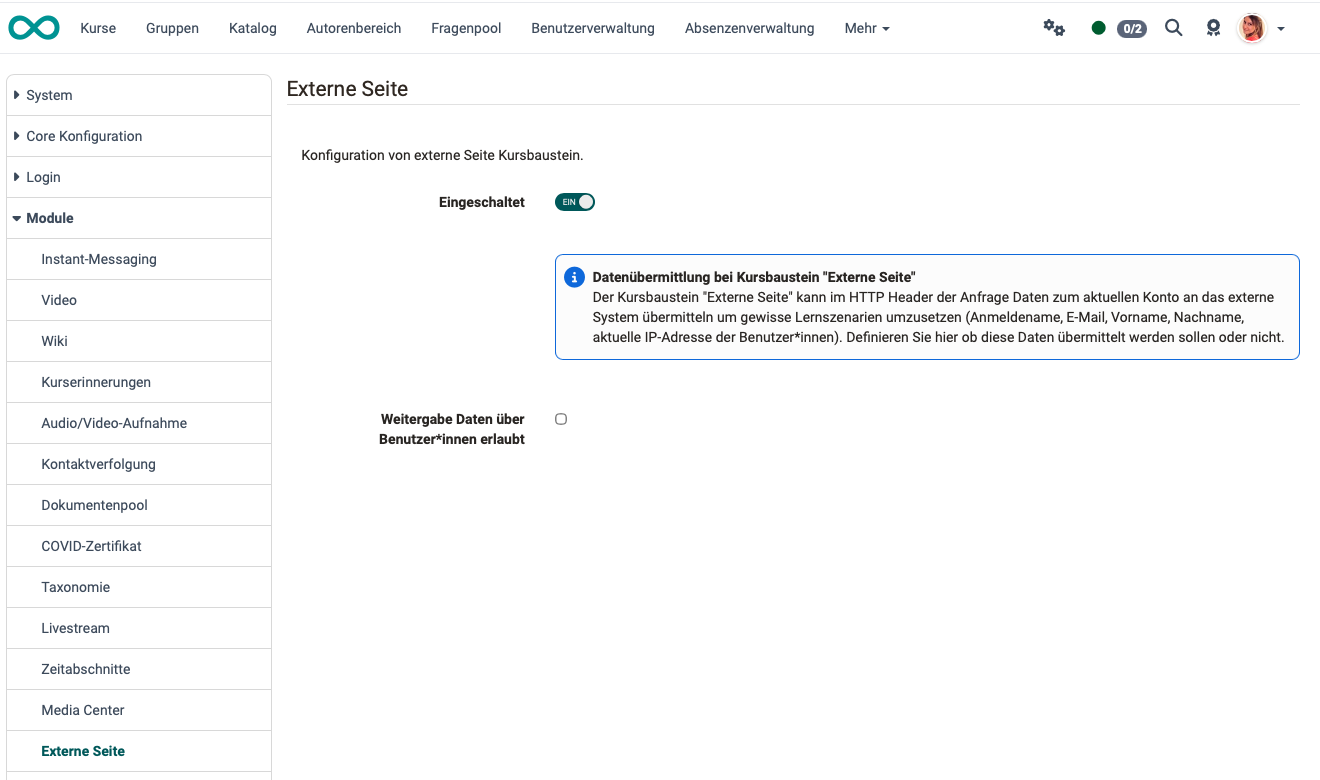
This module configures the general use of the "External Page" course element.
frentix recommends keeping domains separate
The course element "External Page" displays content of a foreign domain inside your OpenOlat domain. Based on modern security considerations, frentix recommends not to mix different domains and therefore advises against the use of this course element.
A domain is the internet address under which a page is delivered: your OpenOlat instance runs under its own address, the embedded page under a different one.
For external applications, the course element "LTI Page" is intended. If a website only has to be reachable, the Link list is sufficient.
Enabled (module activated)
As an administrator, you decide whether the "External Page" course element is available to authors. In a new installation it is not available. The update to release 20.1 enables it in every case, so that existing courses continue to work unchanged.
Which page an author embeds is their own decision. As the administration, you decide whether the course element is available at all.
Existing course elements continue to work after the module is switched off
After the module is switched off, authors can no longer insert new "External Page" course elements. Existing course elements can no longer be configured in the course editor, but they remain visible to participants and continue to call up the external page. If they are no longer to be used, remove them in the courses concerned.
Sharing of user data
The "External Page" course element can transmit data about the current account to the external system via the HTTP header of the request in order to implement certain learning scenarios (username, email, first name, last name, and the user's current IP address).
Here, you can choose whether or not this data should be transmitted. The setting applies to all courses of your instance. frentix recommends to leave the sharing switched off.