Module Course
In the Module Course, you as an administrator define which course options are available system-wide and with which presets new courses start. You find it in the system administration under: Administration > Modules > Course.
Tab Settings
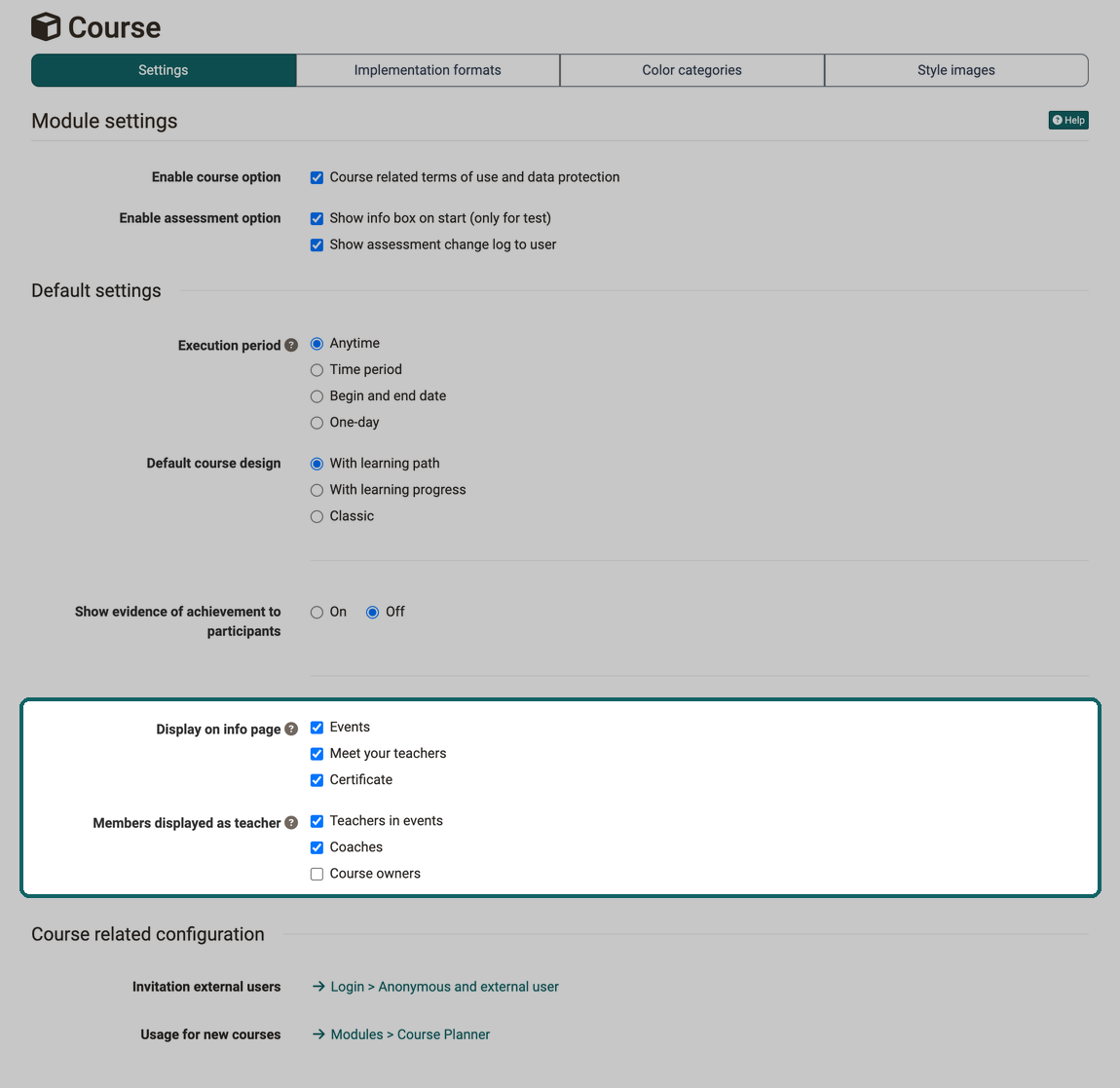
Module settings
Enable course option
The option "Course related terms of use and data protection" gives course owners the "Terms of use" tab in the course settings. There they define terms of use and a data protection declaration that participants confirm before visiting the course.
Enable assessment option
The assessable course elements have some common properties that are set system-wide here:
- Show info box on start (only for test): The course element "Test" shows an info box before the start.
- Show assessment change log to user: Participants see the history of their assessment in assessable course elements.
Default settings
Anyone who creates new courses starts with the values set here and does not have to adjust them in every course. The default settings apply to courses that are newly created after the change. Existing courses keep their settings, and a copy adopts the settings of the original.
Execution period
Here you define which execution period is preselected when a new course is created: "Anytime", "Time period", "Begin and end date" or "One-day".
Tip
If "Time period" is selected as the execution period, a time period can be set as the default under Administration > Modules > Time periods.
Default course design
The default setting for the course design with which the creation of a new course is suggested is defined here: "With learning path", "With learning progress" or "Classic".
Show evidence of achievement to participants
Here you define whether the evidence of achievement is switched on in new courses. Course owners change the setting for each course in the "Assessment" tab of the course settings.
Display on info page
Here you define which sections the info page of a new course shows: "Events", "Meet your teachers" and "Certificate". By default, all three options are selected. There is no default value for "Credit points", the option is selected in each course individually.
"Meet your teachers" counts as selected for new courses as long as at least one role is selected under "Members displayed as teacher". If new courses are to start without this section, select no role there.
Members displayed as teacher
Here you define which roles a new course shows in the "Meet your teachers" section: "Teachers in events", "Coaches" or "Course owners". The same roles are preselected when someone selects "Meet your teachers" again in an existing course. By default, "Teachers in events" and "Coaches" are selected.
How course owners change the display settings of an individual course is described in Course Settings - Tab Info. Separate default values apply to implementations in the Course Planner, see Module Course Planner.
Course related configuration
Two links lead to settings that concern courses but are located in other menus of the system administration:
- Invitation external users: The link "Login > Anonymous and external user" opens the settings for Anonymous guests and external users.
- Usage for new courses: The link "Modules > Course Planner" opens the Usage for new courses in the Module Course Planner.
Tab Implementation formats
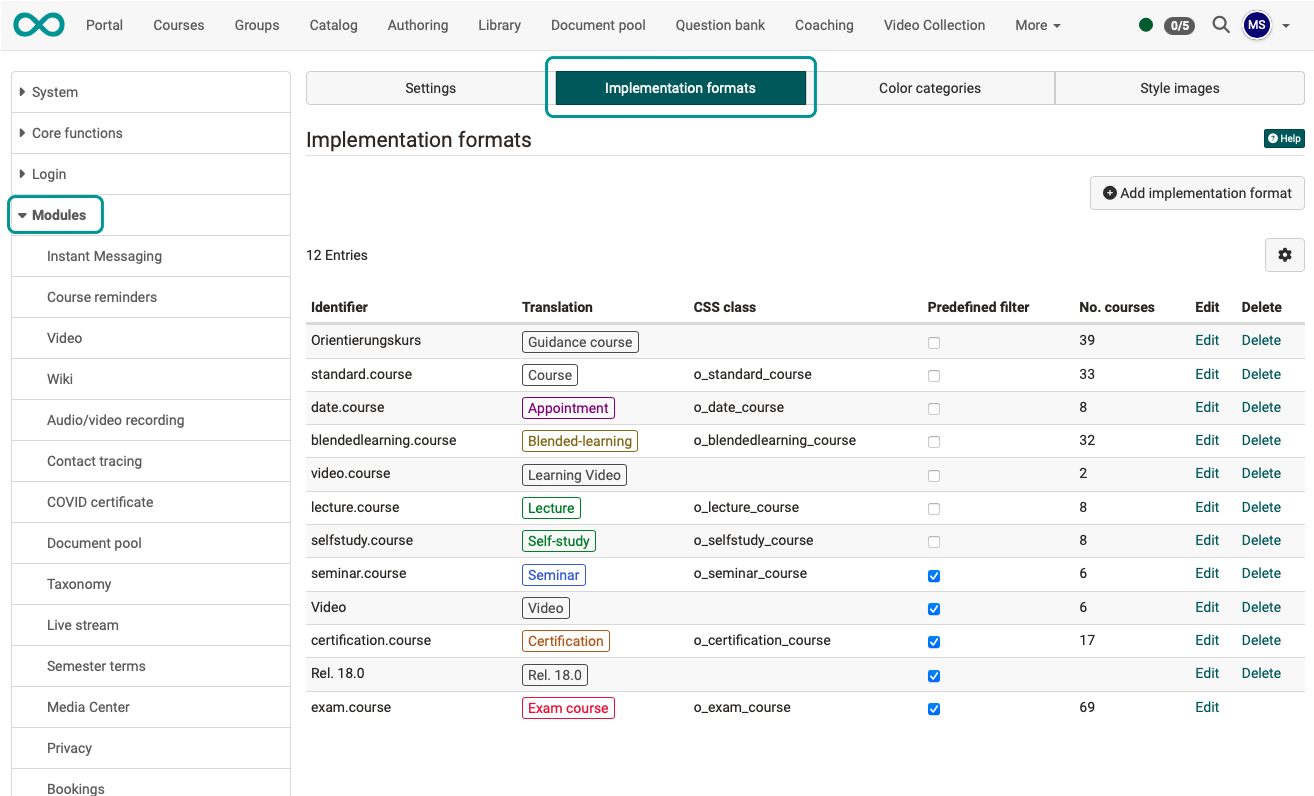
The implementation formats created and listed here can be used by authors to classify courses. They can be selected by course owners when configuring a course under: Course > Administration > Settings > Metadata
Tab Color categories
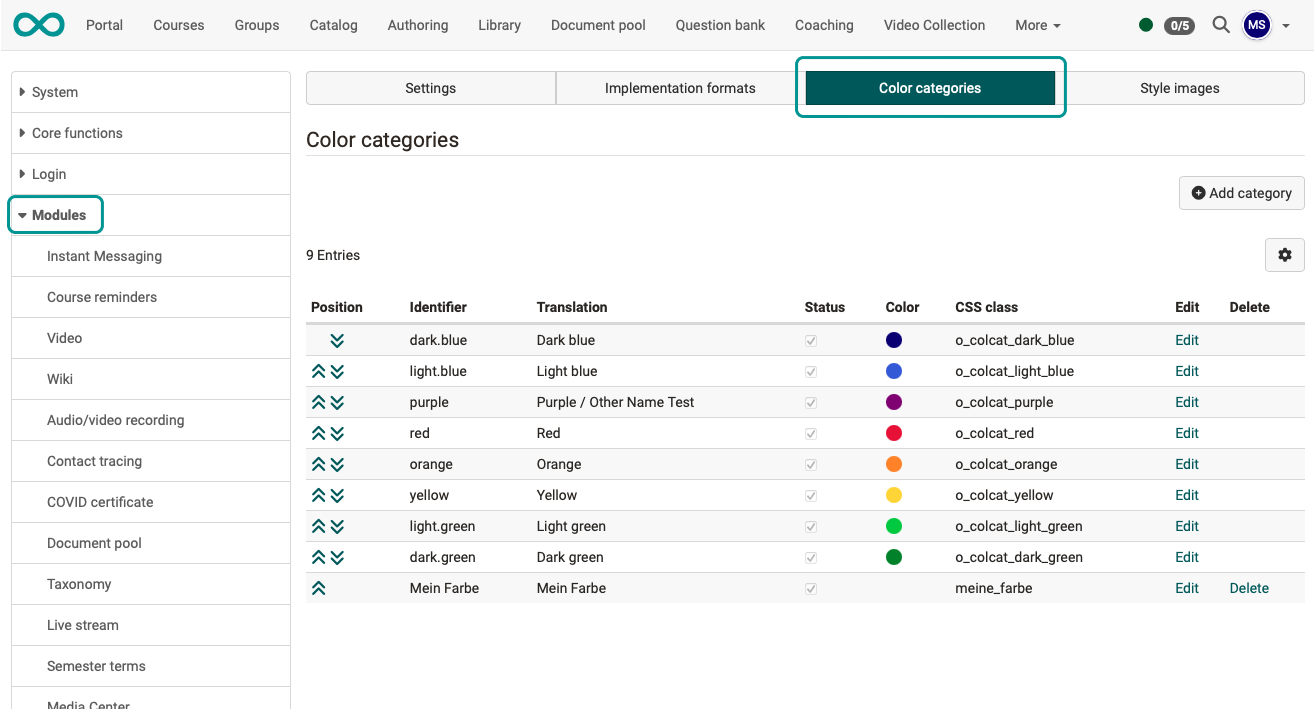
The color categories created here are available as CSS classes. They can be used by authors to design course elements in the "Layout" tab of the course editor, for example.
Tab Style images
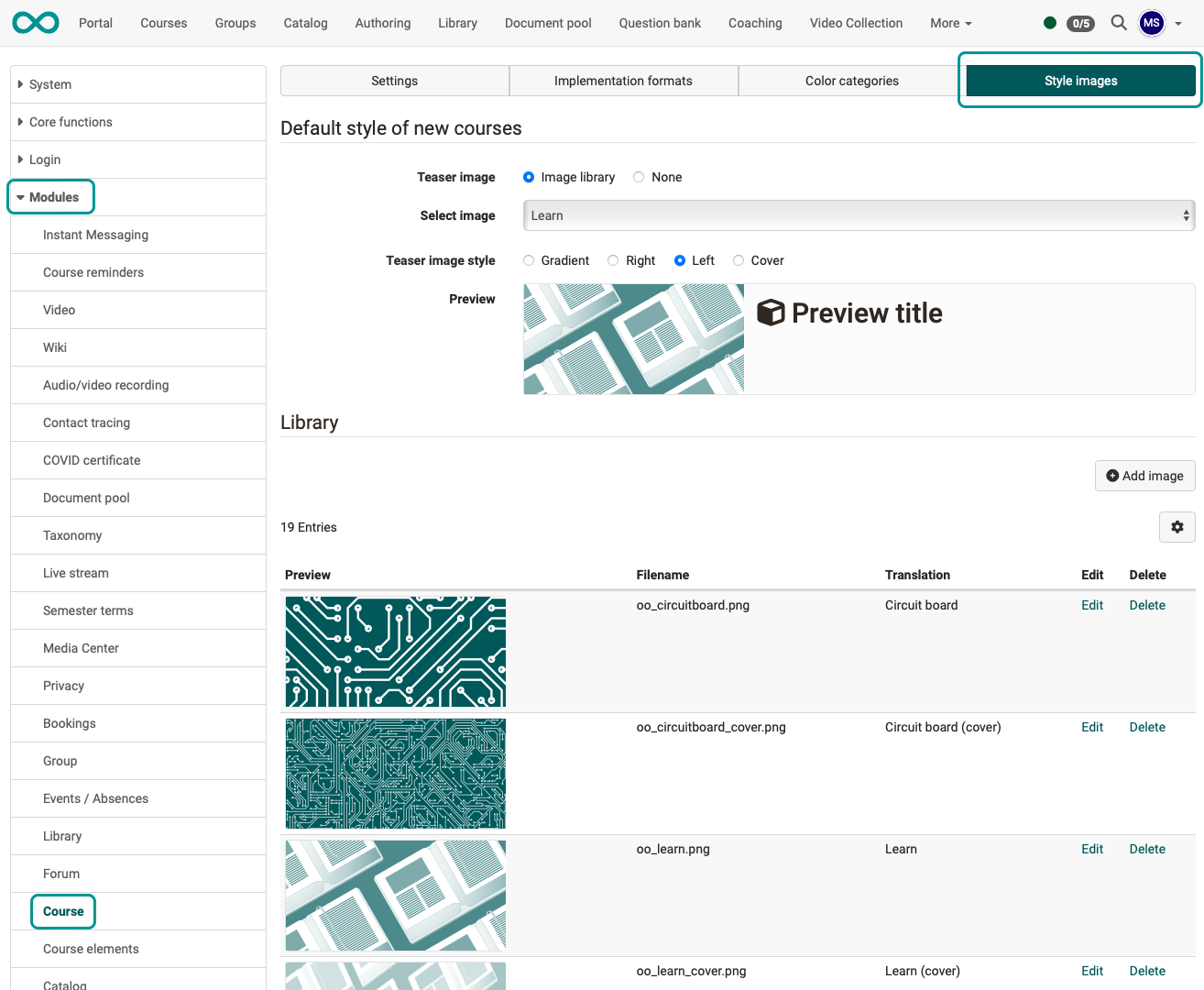
The images listed here can be used by the authors in the "Layout" tab of the course editor to design the header of the course elements. They can be colored differently by selecting a color category.
Further information
Mentioned on this page
Course Settings >
Assessment of course modules >
Course Settings - Tab Assessment >
Course Settings - Tab Info >
Module Course Planner >
Anonymous guests and external users >
Further reading
Module Time periods >
General Functions: Info Page >