Offer types
In order to offer a course or other learning resource in the catalog, an offer is required.
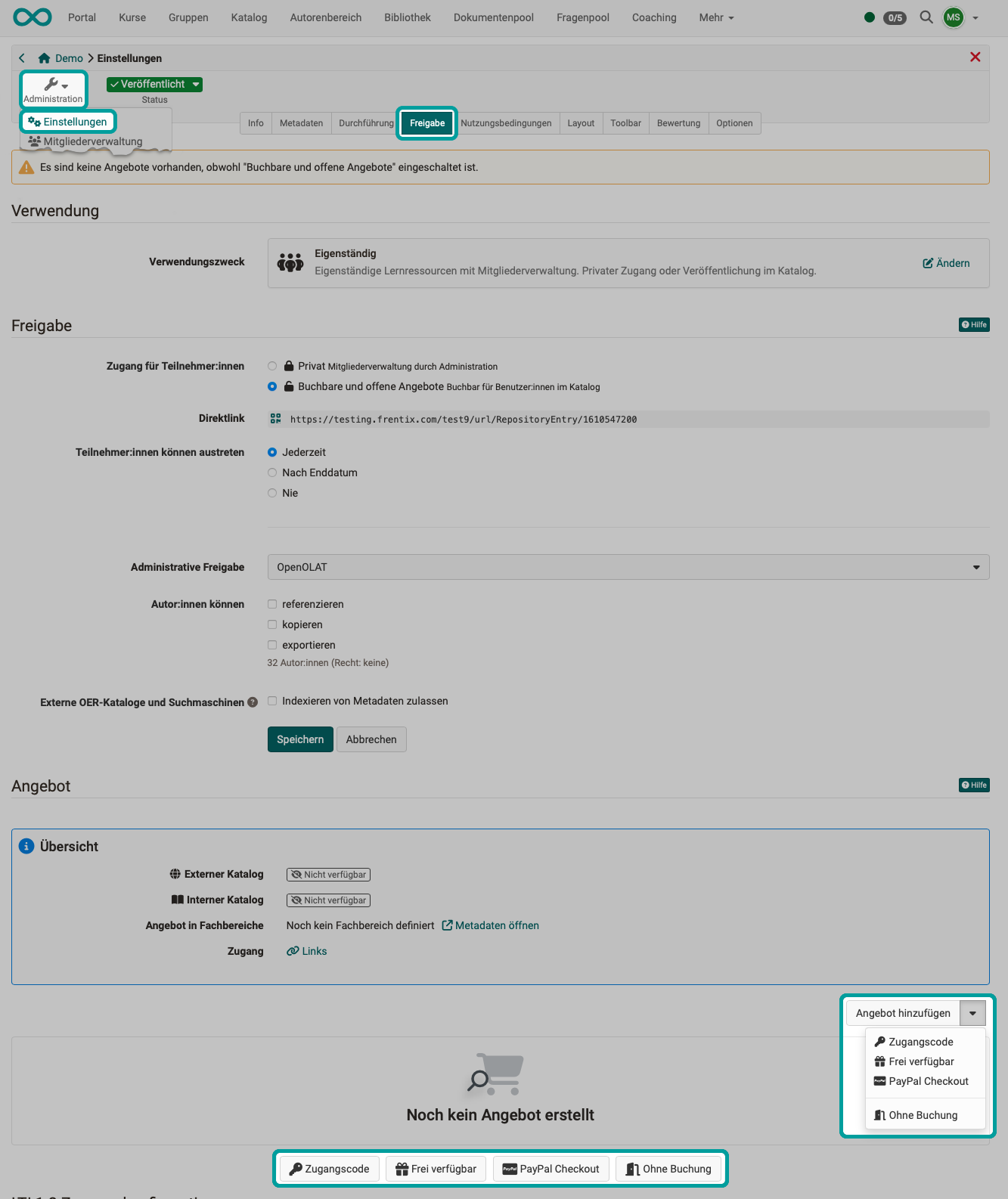
Offers can be created under:
Course > Administration > Settings > Tab "Share" > "Offer" area
If offers have been created, they can also be viewed under Course > Administration > Offer types.
The Offer types
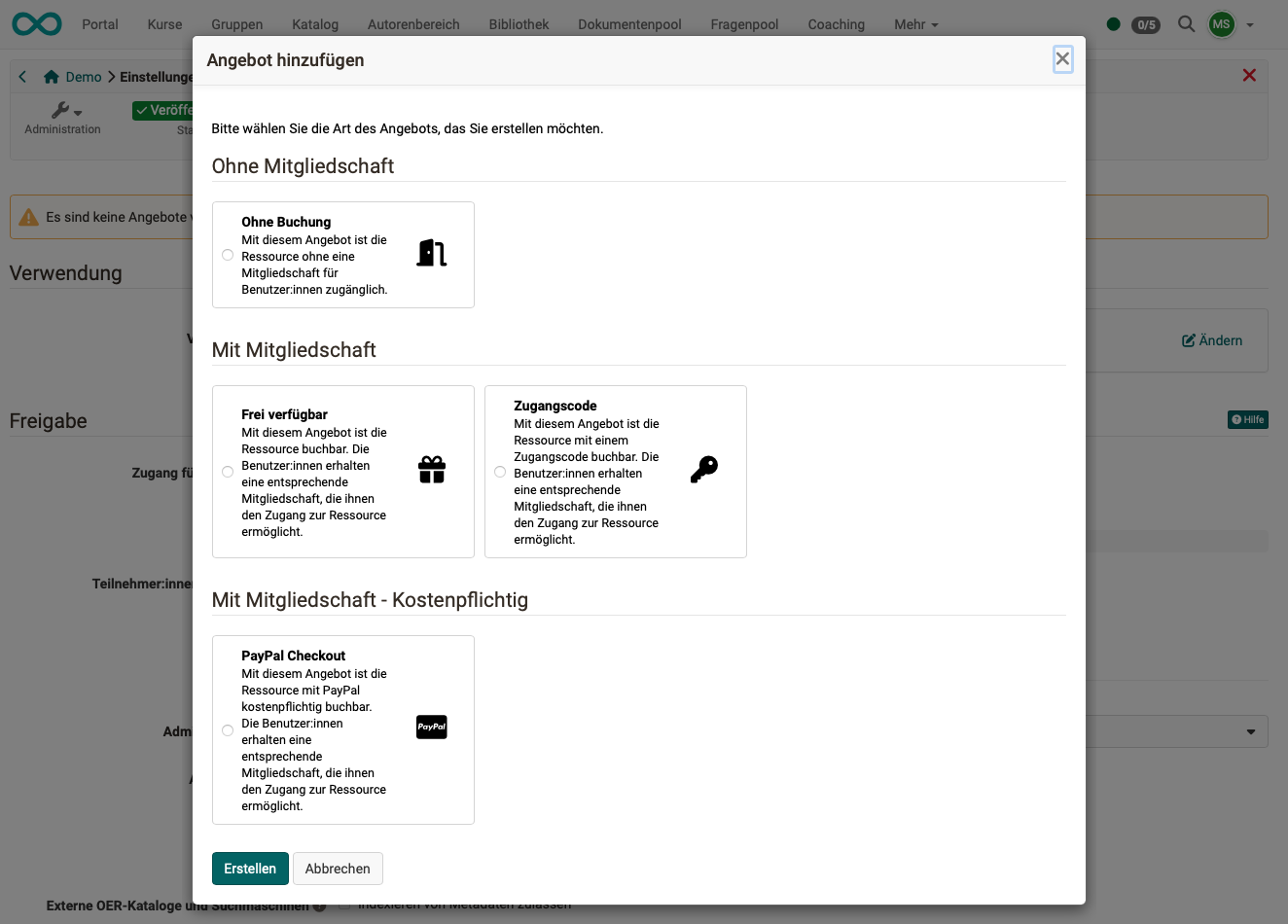
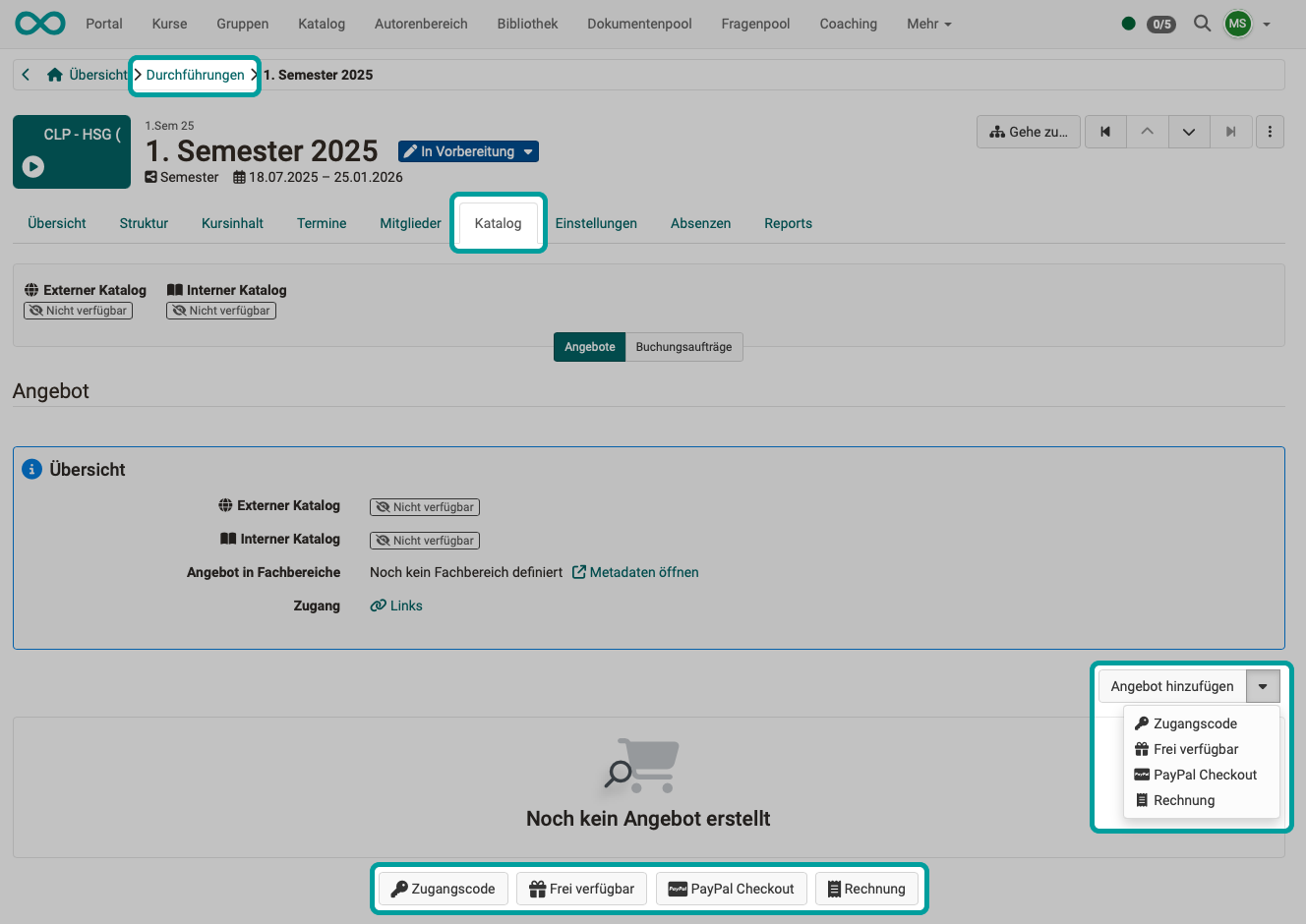
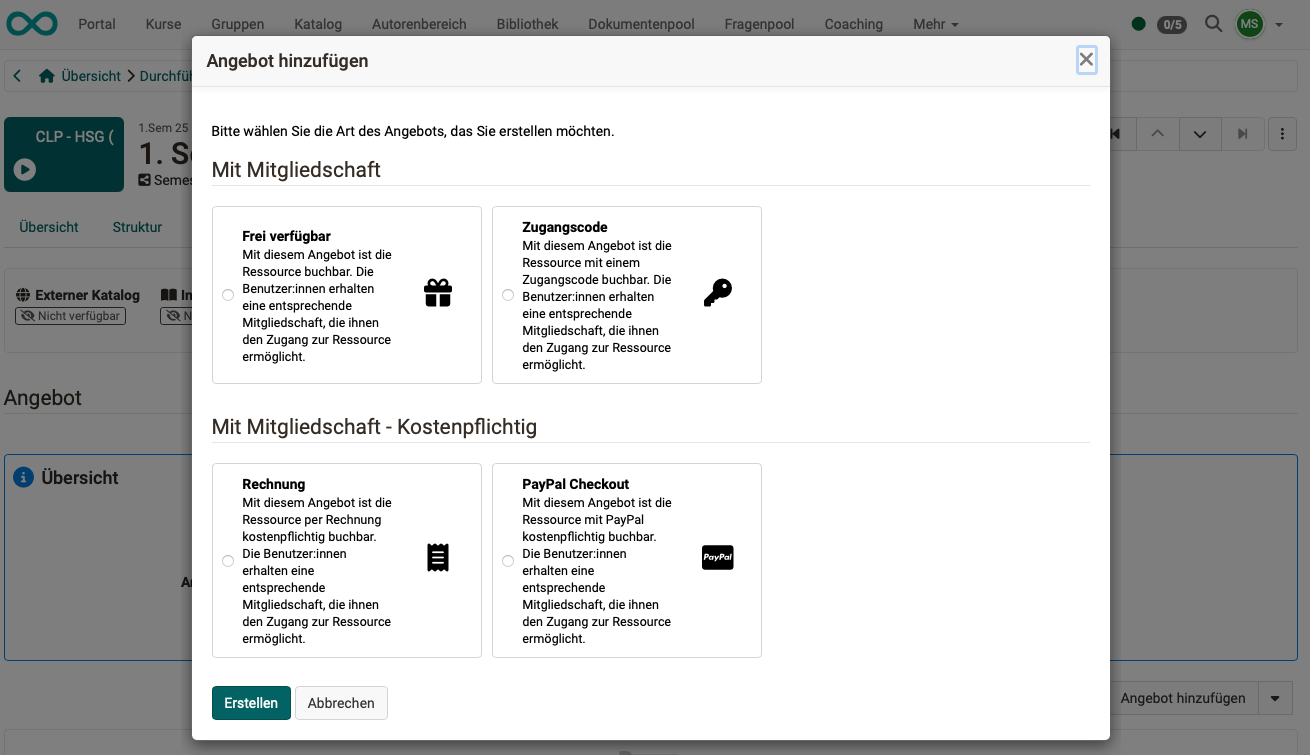
The following Offer types can be created:
| Member status | available in | ||
|---|---|---|---|
| Without booking | without | With this offer, the resource is accessible to users without a membership. | Single course |
| Freely available | Membership | The resource can be booked with this offer. Users receive a corresponding membership that gives them access to the resource. | Single course and implementation |
| Access code | Membership | With this offer, the resource is available with an access code. Users receive a corresponding membership that gives them access to the resource. | Single course and implementation |
| PayPal Checkout | Membership | With this offer, the resource can be booked with PayPal for a fee. The users receive a corresponding membership that gives them access to the resource. | Single course and implementation |
| Invoice | Membership | With this offer, the resource can be booked by invoice. The users receive a corresponding membership that gives them access to the resource. | Implementation |
Offer types for single courses
Offer types for implementations (in the Course Planner)
Further information
See the catalog >
See the offers >
Offer implementations in the catalog >