User tools: Booking orders
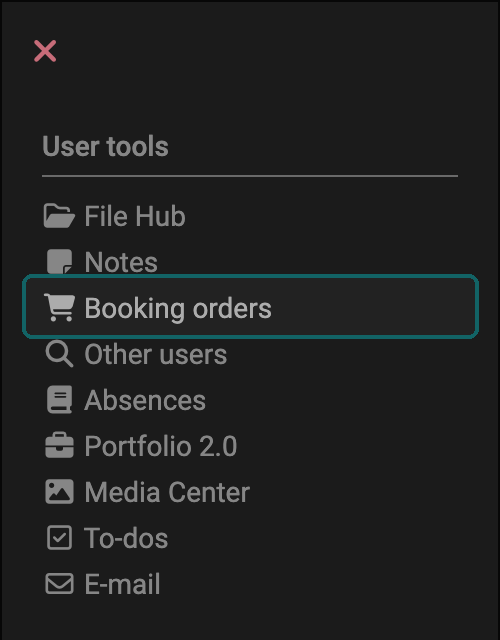

Under "Booking orders" in the "User tools" section, users find an overview of all their booked courses and learning resources. Only those courses and learning resources appear that are linked to an offer type, e.g. an access code, and for which a booking order of the users exists. This also applies if another person made the booking for them. Booking can be understood as a synonym for "enroll", "register" or "purchase".
Learning resources where the owners enter the participants manually, or where participants are assigned via a group, do not appear here.
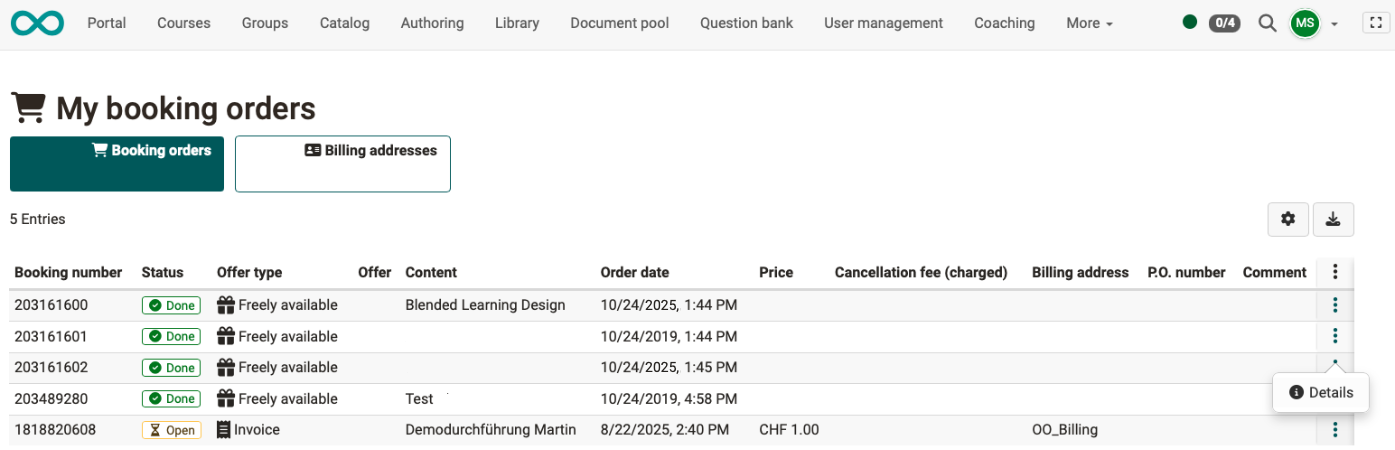
Use the cogwheel to select the columns you want to see, e.g. the offer type ("Access code", "Freely available", "Invoice", PayPal), the offer and the content (the booked learning resource). With every booking, OpenOlat automatically creates a booking number under which this booking order is managed. This number is also shown here.
Use the download icon to the right of the cogwheel to download all booking orders as a table. Use "Details" in the 3-dot menu of a booking to open the dialog "Booking" with the detail information on this booking order. If the booked offer used forms, the dialog also shows the completed forms.
You cannot cancel a booking or leave a course here. You cancel a booking on the info page of the implementation, which you open via the catalog: Catalog > "Your implementation" > Learn more > Box "Get started" > Cancel booking. When the button appears is described in Info page: Cancel booking. You leave a course in the box "My course" of its info page, see Info page: Leave course.
If the offer type "Invoice" is enabled, the additional tab "Billing addresses" appears. There you see the billing addresses stored for your bookings. Administrators maintain the billing addresses of organisations.
The option to book also appears in the catalog, provided that the corresponding offer has been published there. The booking process is described in Catalog 2.0 - Offers.
Further information
Access configuration >
General Functions: Info Page >
Module Organisations >
Catalog 2.0 - Offers >
Members management >