e-Assessment Administration: Levels/Grading
Administrators enable the module "Levels/Grading" and create the rating systems that convert points into grades. You find the module in the system administration under:
Administration > e-Assessment > Levels/Grading
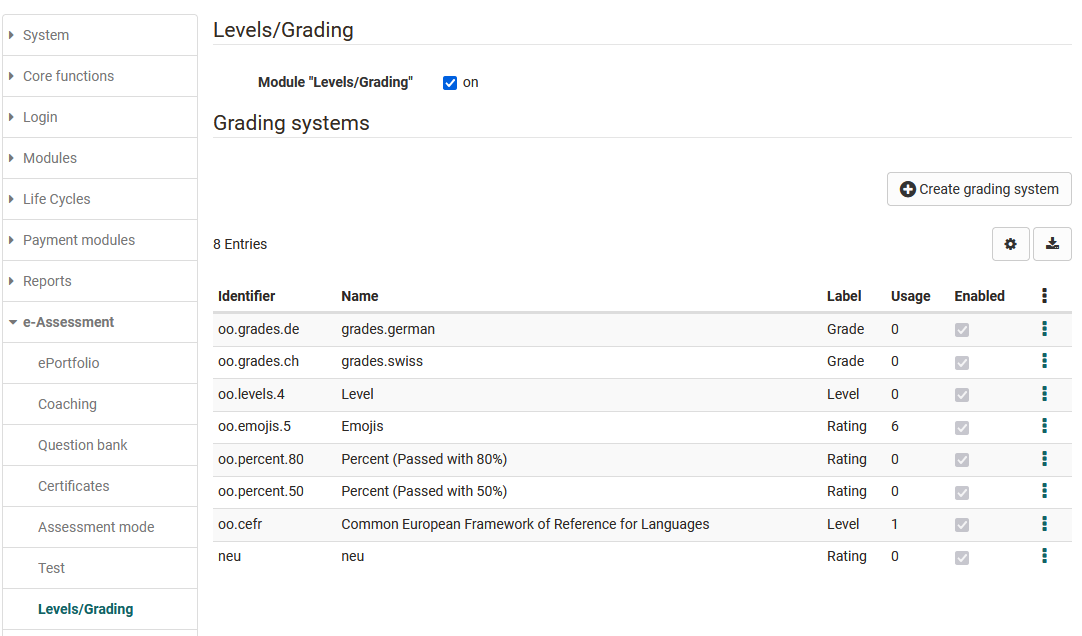
The term "Note" is used here as a placeholder for all possible output formats. (Examples could be: 1-6, A-F, "very good" - "unsatisfactory", "Beginner"/"Advanced"/"Expert" etc.).
After activation, course owners can enable Levels/Grading in the course editor in assessable course elements, for example in Test, Task, Assessment or Video task.
Rating system
System administrators can make the following settings to configure the rating systems:
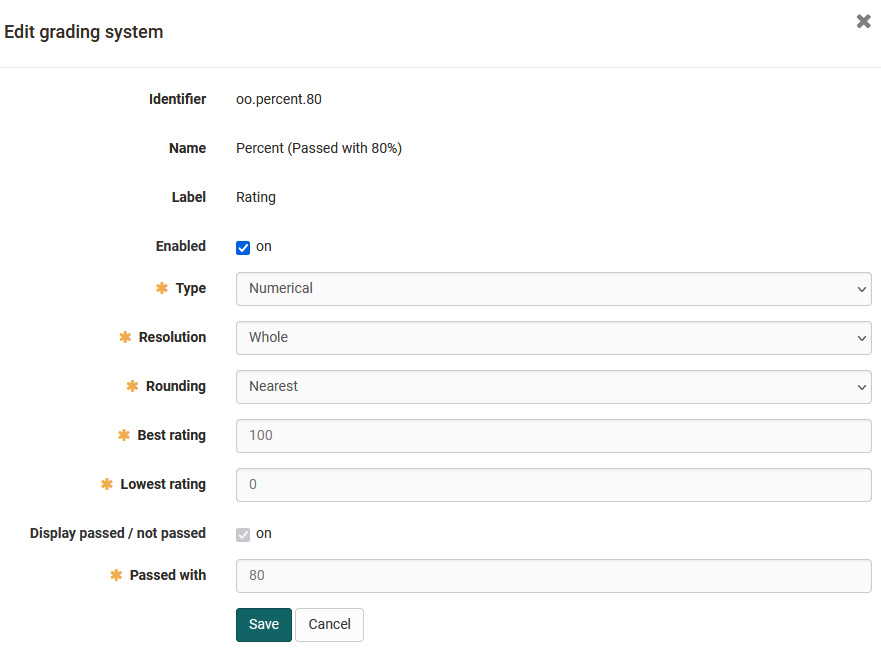
Numeric type
Numeric rating systems can be customised in the resolution (whole, half, quarter, tenth) and in the rounding. The lowest and the highest rating set which grades exist in this system. The "Passed with" limit determines from which grade a performance counts as passed. The rating scale follows from this.
Textual type
A performance class is a named level of a rating system, for example "Beginner", "Advanced" or "Expert". Instead of a grade, a person receives the name of the level their score reaches.
With textual rating systems, one defines the number of performance classes and their name/label. The maximum number of points and the score lower bound per performance class then determine the general conditions of the rating scale.
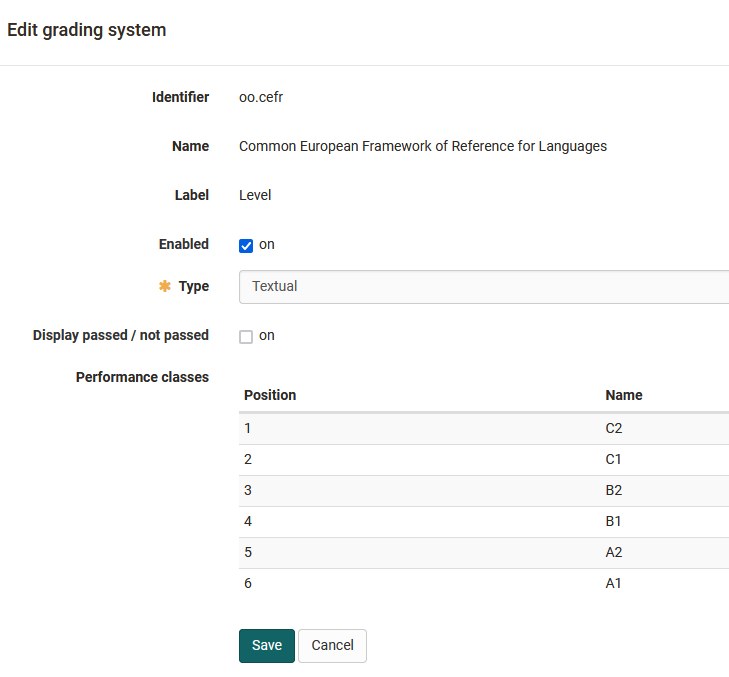
Further examples of useful labels are: Beginner, Advanced, Professional or various emojis.
Several rating systems can be stored and made available in the system administration.